The Big Picture: Speed Costs Heat
A CPU is like an engine. Run it faster and it does more work, but it burns more fuel and gets hotter. This section explains the CPU's speed number, how the CPU changes its own speed, and how heat and power limit it.
10.1 Clock Speed (GHz)
What it is: Clock speed is how fast the CPU's internal clock signal "ticks". Each tick is a chance for the CPU's circuits to move to their next step. It is measured in Hertz (Hz), meaning cycles per second. Modern CPUs tick billions of times per second, so we say GHz (gigahertz).
3.5 GHz = 3,500,000,000 clock ticks every single second
Where the ticks come from: The clock starts as a steady pulse from a small part called a crystal oscillator. A slice of quartz inside the metal can vibrates at an exact rate when electricity passes through it. This is the same idea as the quartz in a wristwatch. The CPU then multiplies this slow pulse up into its fast clock (Chapter 4 shows how a 100 MHz base clock becomes 4.5 GHz).
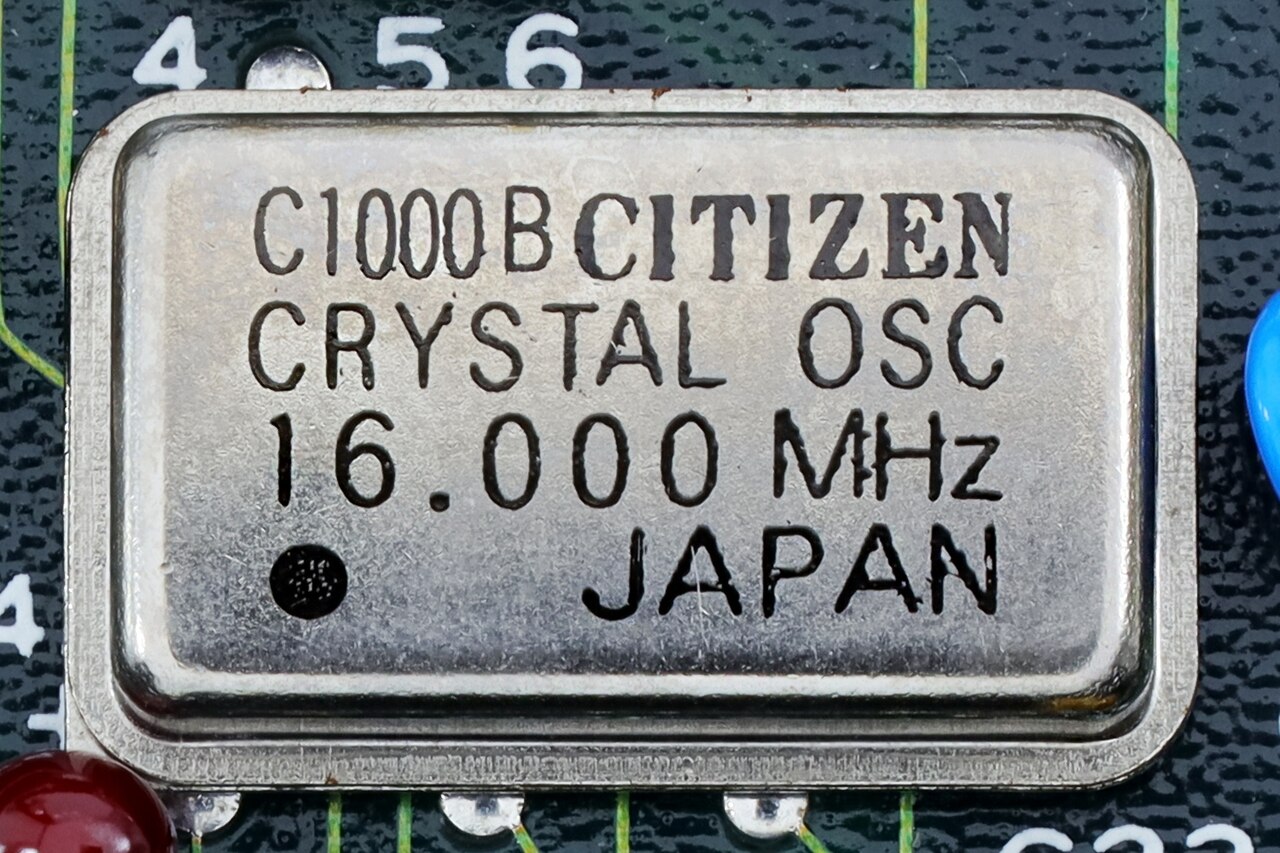
Figure 2.4 — A crystal oscillator, the small metal can that sets a steady beat for a circuit. Look for the "16.000" printed on top: it vibrates 16 million times a second. Photo: Mister rf, CC BY-SA 4.0, via Wikimedia Commons.

Important catch: Clock speed alone does not tell you "instructions per second". Thanks to pipelining (Section 5.1), a CPU can finish about one instruction per cycle in ideal conditions. But real code has cache misses, branch mispredictions, and instructions that take several cycles. So two CPUs at the same GHz with different internal designs (Section 9) can perform quite differently. This is why "GHz" stopped being a reliable single measure of performance once designs began to differ a lot (roughly the mid-2000s onward).
10.2 Dynamic Frequency Scaling
What it is: Modern CPUs do not run at one fixed speed. They constantly turn their speed up and down depending on workload, temperature and power budget. Vendors use different marketing names (Intel Turbo Boost, AMD Precision Boost), but the idea is the same.
Idle / light work:     CPU drops to a low frequency (e.g. 800 MHz–1.5 GHz)
                        → saves power, generates little heat

Demanding work,
thermal headroom OK:   CPU boosts to its maximum rated frequency
                        (e.g. 5.4 GHz) for as long as conditions allow
Why it exists:
| Reason | What it means |
|---|---|
| Power savings | Most of the time the CPU is waiting for you, the network or a disk. There is no reason to burn power at full speed. |
| Thermal headroom | A CPU can safely run a few cores at very high "boost" speeds for a short time, as long as the whole chip does not overheat. |
| Battery life | On laptops this is one of the biggest things separating "all-day battery" from "dead by lunch". |
10.3 Thermal Throttling
What it is: A safety feature. When the CPU's temperature crosses a set limit, the CPU automatically lowers its own clock speed to avoid damage. It is like a runner who slows down when overheated.
CPU temperature rises under sustained heavy load
        │
        ▼
   Crosses threshold (e.g. ~95–100°C on many consumer CPUs)
        │
        ▼
   CPU automatically lowers clock speed
        │
        ▼
   Less heat generated → temperature drops → CPU may boost
   back up again once it's safely below the threshold
Cooling: The heat has to go somewhere. A heat sink (a block of metal with many thin fins) sits on the CPU and pulls heat away. A fan blows air through the fins to carry the heat out. Here is one inside a real PC.
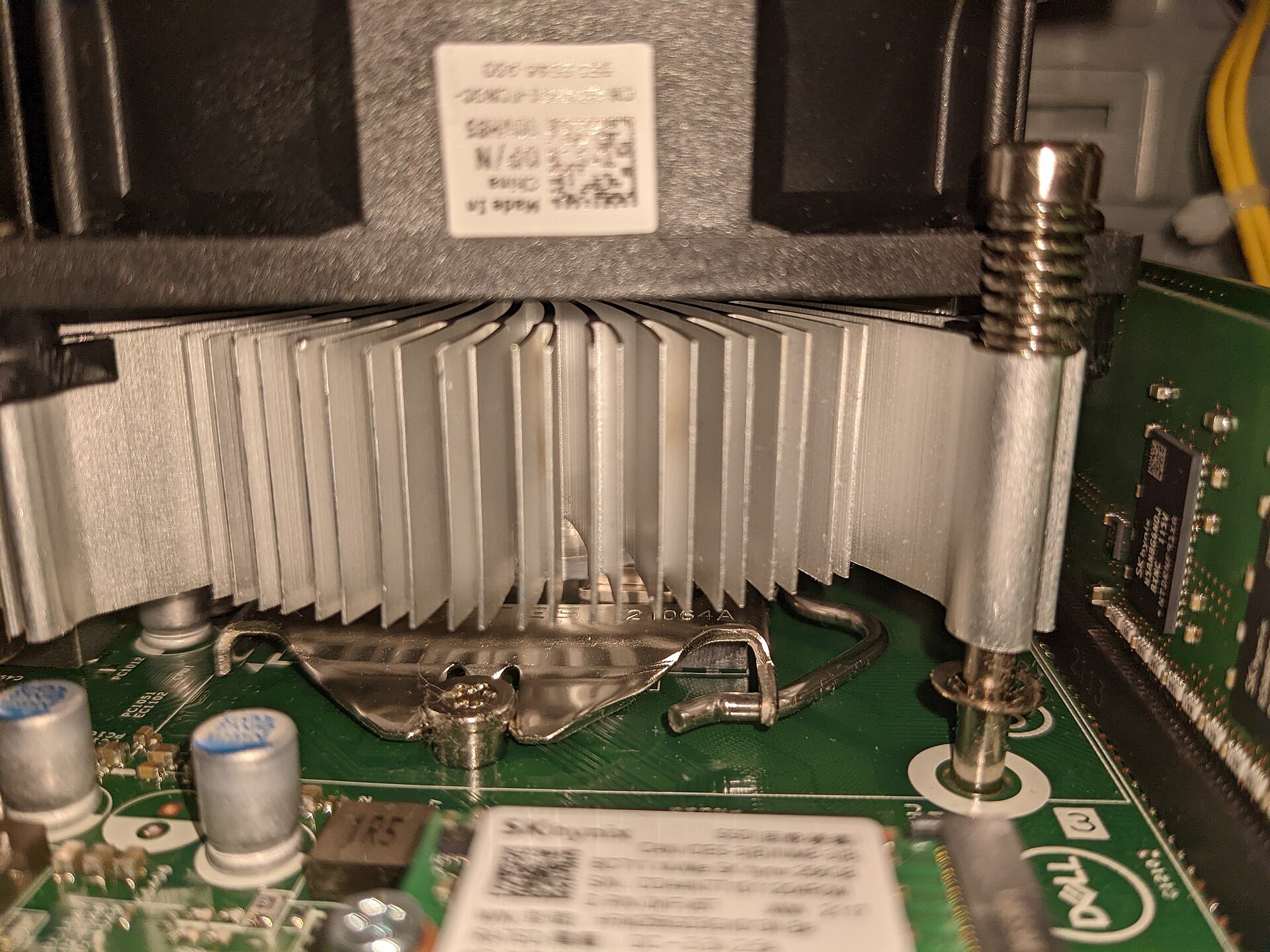
Figure 2.5 — A CPU cooler inside a Dell PC. Look for the stack of thin aluminium fins (the heat sink) with the fan on top and the metal clip that holds it down. Photo: Evan0512, CC BY-SA 4.0, via Wikimedia Commons.

Symptoms you can notice: A laptop that feels fast for the first few minutes of a demanding job (like a video export) and then slows down as it heats up is thermal throttling. The CPU gives up speed on purpose to avoid damage, because the fans and heat pipes cannot remove heat fast enough to keep the higher speed going.
Key idea: Throttling is not a fault. It is a designed safety behaviour. But constant throttling during normal work usually points to a real problem: dust-clogged fans, dried-out thermal paste (the grease between CPU and cooler), or a cooler that is too small for the CPU.
10.4 Power Consumption
A CPU's power use is not constant. It rises (roughly, not perfectly in a straight line) with both clock speed and voltage. Power climbs faster than speed alone would suggest, because voltage usually has to go up too to keep higher speeds stable.
Rough real-world pattern for the same CPU:
  Idle:              ~5–15 watts
  Light everyday use: ~15–35 watts
  Heavy sustained load: ~65–150+ watts (varies enormously by CPU class)
So a small speed increase near a chip's top speed costs much more power (and makes much more heat) than the same increase near the low end. This is why, after the mid-2000s, manufacturers stopped just pushing clock speeds higher and turned to more cores and smarter designs.
10.5 TDP (Thermal Design Power)
What it is: TDP is a figure from the manufacturer, in watts. It says roughly how much heat the cooling system must be able to remove for the CPU to work as intended.
Example: "Intel Core i7-13700K — TDP: 125W (Processor Base Power)"
Important points:
- TDP is not the same as "maximum power draw". Many modern CPUs can draw much more than their base TDP for short boost periods (sometimes 150–200%+ of the base figure), as long as temperature and platform power limits allow it.
- TDP is mostly a cooling guideline for PC builders and laptop makers. It tells them what the cooling (heat sink, fan, laptop body) must handle for steady use. It is not a hard power limit.
- Comparing TDP numbers across makers or generations can mislead, because what counts as "TDP" has changed over time and differs between Intel and AMD.
Why this section matters for troubleshooting: Frequency scaling, throttling and TDP together explain a big share of "why is my computer slow, hot or loud?" questions. They also connect to the Practical Lab, where you watch some of this live in Task Manager and Resource Monitor.
Summary
| Term | Plain meaning |
|---|---|
| Clock speed (GHz) | Billions of ticks per second; 3.5 GHz = 3,500,000,000 ticks/s |
| Crystal oscillator | The quartz part that supplies the steady base pulse |
| Dynamic frequency scaling | The CPU raises and lowers its own speed (Turbo Boost / Precision Boost) |
| Thermal throttling | The CPU slows itself when too hot (~95–100°C on many CPUs) |
| Heat sink + fan | Metal fins and moving air that carry heat away |
| Power | Rises faster than speed, because voltage rises too |
| TDP | Watts of heat the cooler must handle; not the maximum power draw |