The Big Picture: A Computer With No Manager
Imagine a huge apartment building with no manager. Every tenant (a program) wants water, power and a parking space. Nobody decides who gets what. One tenant leaves the water running. Another parks in three spaces. A third walks into your flat and moves the furniture. The building falls apart.
A computer without an operating system (OS) is that building. The hardware (the CPU, RAM, disk and ports from Chapters 1 to 4) is powerful, but it is also raw, awkward and shared. The OS is the building manager: it hands out the hardware fairly, hides the ugly details, and keeps tenants out of each other's flats.
What it is: An operating system is the main piece of software that sits between your programs and the hardware. It starts when the PC boots (Chapter 5 told that story), and it keeps running until you shut down. Windows, Linux, macOS, Android and iOS are all operating systems.
        YOU
         │
   ┌─────▼──────────────────────┐
   │  Programs (apps)           │   Chrome, Word, games...
   ├────────────────────────────┤
   │  OPERATING SYSTEM          │   the manager in the middle
   ├────────────────────────────┤
   │  HARDWARE                  │   CPU, RAM, disk, network, screen
   └────────────────────────────┘
Without the middle layer, every program would have to know how to run every piece of hardware on its own. That would be slow to write, easy to break, and dangerous.
1.1 Problem: Applications Need Hardware
What it is: Every program, even a tiny one, needs hardware to do anything useful. Look at what a simple "save my document" action touches.
| The program wants to... | Hardware it needs |
|---|---|
| Run its instructions | The CPU |
| Hold its data while working | RAM |
| Save the document | The SSD or hard drive |
| Show a window | The graphics chip and screen |
| Hear a key press | The keyboard |
| Send a file by e-mail | The network card |
Here is the CPU, the "brain" every program needs. This is the silicon inside an Intel Core i9-13900K with its parts colour-labelled. Its cores run program instructions (Chapter 2).
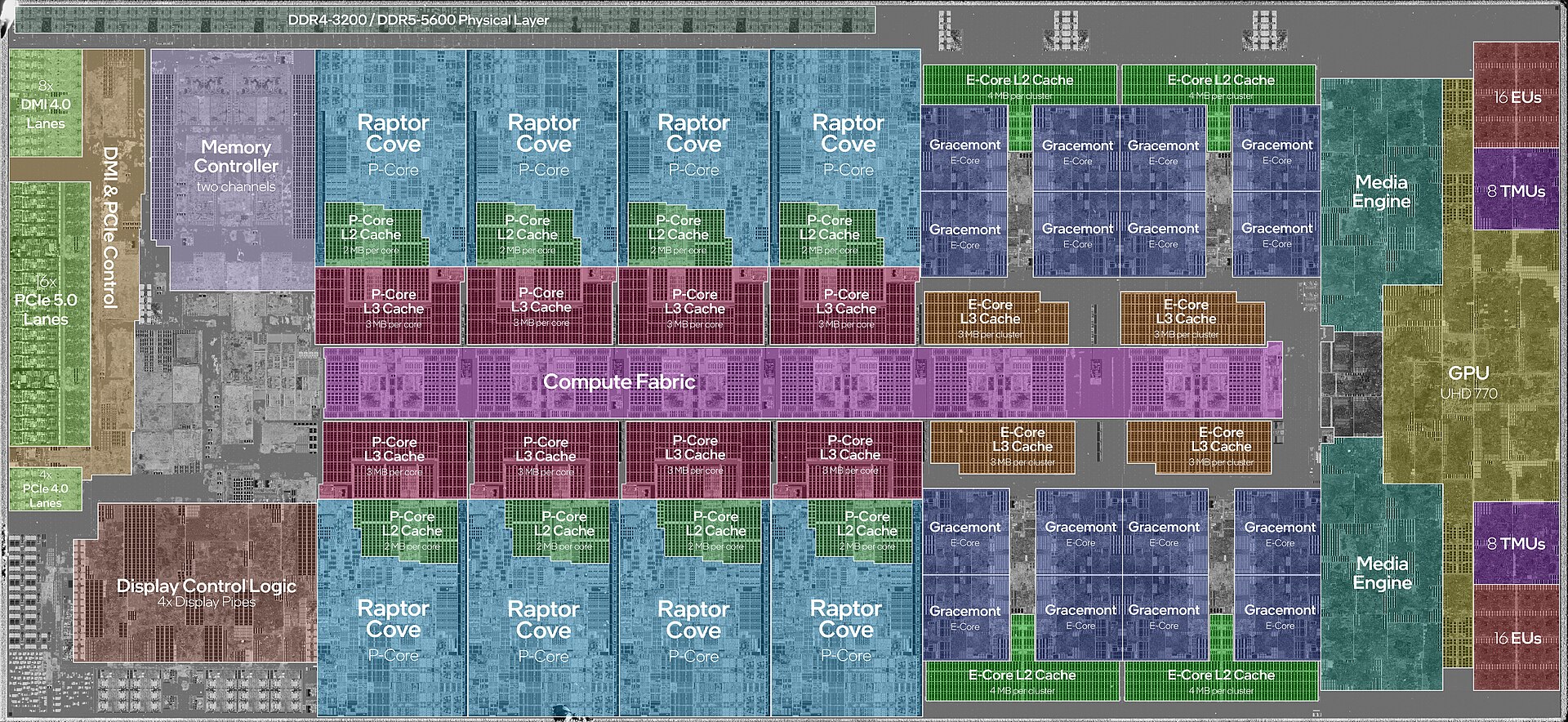
Figure 7.1 — The CPU silicon. The big blocks are the cores that run program code. The OS decides which program uses which core, and when. Photo: JmsDoug and Fritzchens Fritz, CC0, via Wikimedia Commons.

The pain of talking to hardware directly. Hardware does not understand "save my document". Each device speaks its own low-level language:
- A disk wants commands such as "read these sectors" (a sector is a small fixed-size block on a drive).
- A network card wants data placed in a special memory area, then a signal written to one of its registers (tiny control boxes inside the device; see Chapter 4, Section 6).
- Two different SSD brands may need slightly different steps.
If every program had to include all that, a simple text editor would need thousands of extra lines for every disk and network card in the world. And it would break the day you bought new hardware.
A short history. Very early computers (1940s and 1950s) had no OS at all. A person fed in one program at a time, and the machine did nothing else until it finished. Later, programs were collected into batches (groups run one after another). Then people wanted many users and many programs at once. The operating system grew to solve exactly that.
1.2 Challenge: Multiple Applications, One Hardware
What it is: Your PC has one set of hardware, but you run many programs at the same time: a browser, music, a download, a chat app, antivirus. All of them want the same parts.
Count what is shared on a typical PC:
| Hardware | How many | Programs wanting it right now |
|---|---|---|
| CPU cores | 4 to 24 | Often 100 to 300 threads (a thread is one path of running instructions) |
| RAM | 8 to 64 GB | Every running program |
| Disk | 1 | Browser cache, game, updater, antivirus... |
| Network card | 1 | Browser, e-mail, cloud sync |
| Screen | 1 | Every window |
Here is the RAM that all those programs share (Chapter 3).
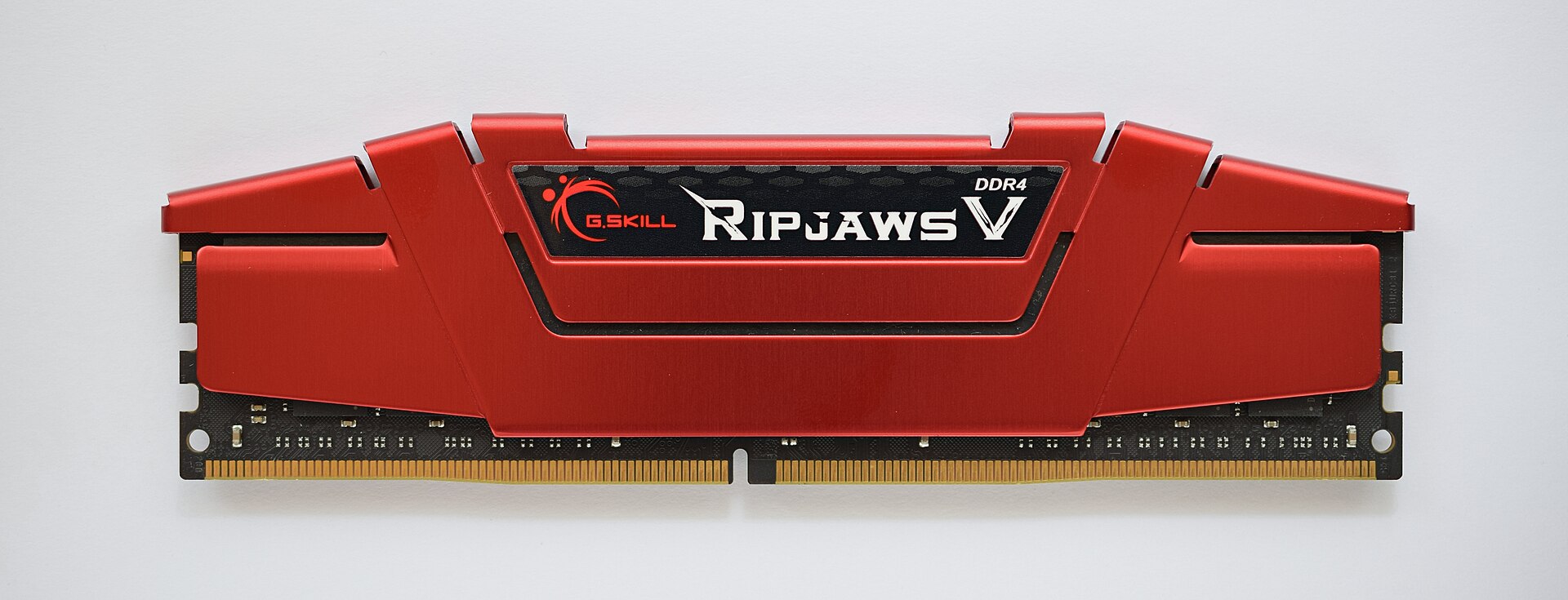
Figure 7.2 — One memory stick, shared by every program. Without a manager, one program could overwrite another program's data. Photo: ElooKoN, CC BY-SA 4.0, via Wikimedia Commons.
.jpg)
And here is a hard drive opened up. Only one set of read heads moves over the spinning disk. Many programs asking for files at the same moment would collide if nobody ordered the requests.
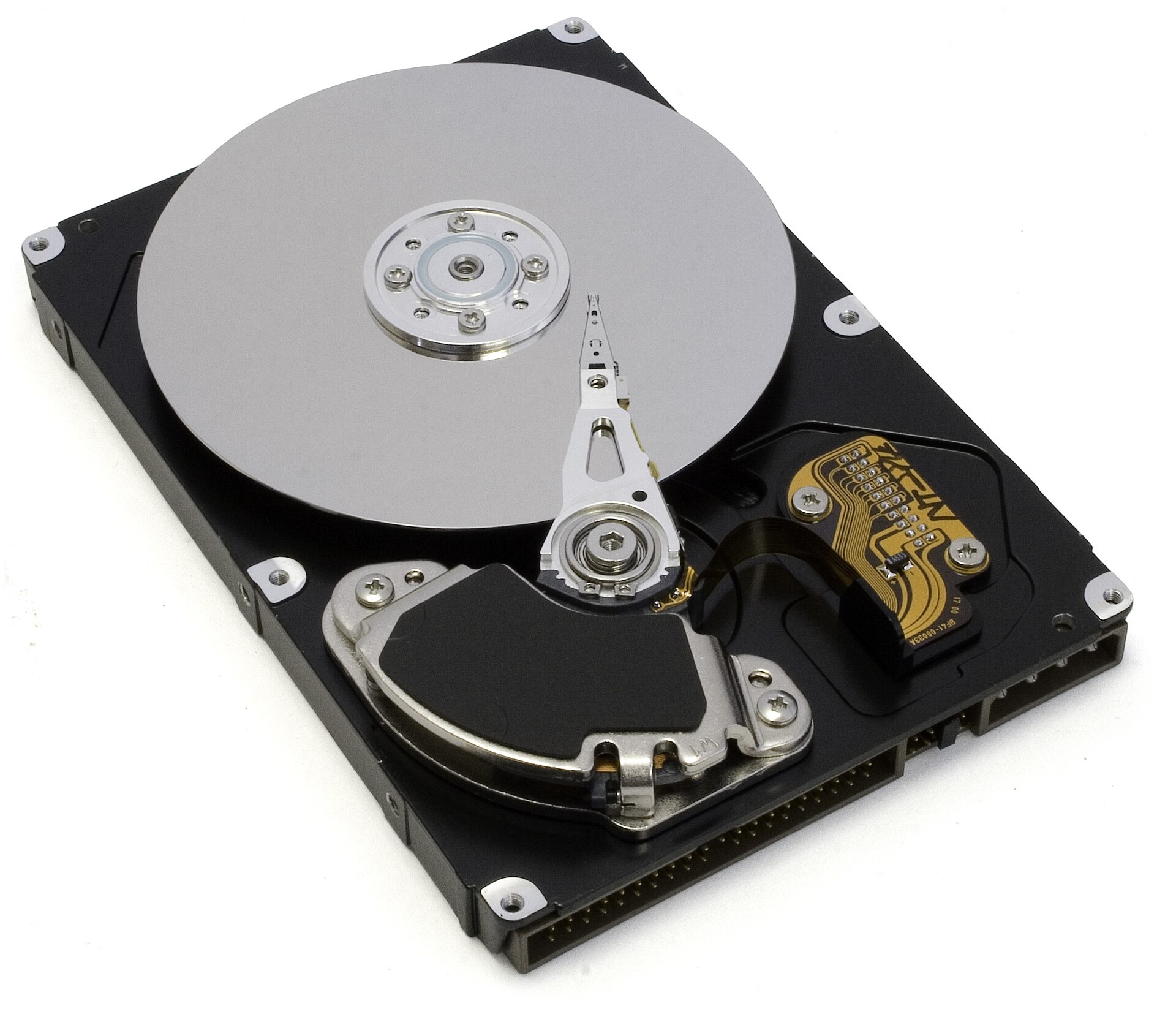
Figure 7.3 — An opened hard drive. One arm, one disk, many programs. The OS lines up the requests. Photo: Zzubnik, public domain, via Wikimedia Commons.

What would go wrong with no manager?
Problem 1: CONFLICT        Two programs write to the same disk spot.
                           Both files are ruined.

Problem 2: GREED           One program grabs all the RAM or all the CPU.
                           Everything else freezes.

Problem 3: SNOOPING        A bad program reads the passwords
                           another program keeps in memory.

Problem 4: CRASHES         One program has a bug and overwrites
                           the memory of the whole system.
                           Everything dies together.
So we need someone to share, protect and referee.
1.3 Solution: The OS as Abstraction and Manager
What it is: The OS does two big jobs at once. Each one answers one of the problems above.
Job 1: The OS as a manager (a "resource allocator"). A resource is anything the programs need: CPU time, memory, disk space, network. The OS decides who gets how much, for how long, and takes it back when needed.
Job 2: The OS as a simplifier (an "abstraction"). An abstraction is a simple picture that hides a messy reality. A car's steering wheel is an abstraction: you turn it, and you never think about the steering rack and the tyres. The OS gives programs simple ideas in place of messy hardware:
| Messy hardware | What the OS shows programs instead |
|---|---|
| Sectors and blocks on a disk | Files and folders with names |
| Physical RAM addresses, shared by all | Virtual memory: each program sees its own private space (Chapter 3) |
| One CPU core shared by many | Processes: each program feels like it owns a whole computer |
| Many different network cards | One simple network connection (a "socket") |
| Many different printers | One simple "print" action |
| Hardware signals | Events: "a key was pressed" |
Program says:       "Save this to report.docx"
                           │
                           ▼
OS turns it into:   find free blocks → write bytes → update file list
                           │
                           ▼
Hardware gets:      exact commands for THIS particular SSD
The program never learns which SSD brand you own. Swap the SSD for a new one, and the same program still works. This is the great gift of abstraction: programs and hardware can change independently.
The OS has two faces:
| Face | Looks toward | Gives |
|---|---|---|
| Top face | Programs | A clean, simple, safe set of services (called system calls, see Section 7) |
| Bottom face | Hardware | Many drivers (small programs that know one device; see Section 5) |
A note on the word "operating system". In daily talk it means everything that comes with Windows: the desktop, Notepad, Settings. In strict computer science, the core is only the kernel (Section 8). Both uses are common, and Section 8.2 sorts them out.
On Windows: Press Ctrl + Shift + Esc to open Task Manager. The Processes tab shows the programs sharing your hardware right now. The columns CPU, Memory, Disk and Network are exactly the four shared resources from the table above.
Summary
| Topic | Remember this |
|---|---|
| Operating system | The main software between programs and hardware, started at boot |
| Why needed | Hardware is raw, hard to drive, and shared by many programs |
| The challenge | Many programs, one CPU, one RAM, one disk: conflicts, greed, snooping, crashes |
| Job 1: manager | Gives out CPU time, memory, disk and network fairly |
| Job 2: abstraction | Hides messy hardware behind simple ideas: files, processes, virtual memory |
| Two faces | Top face serves programs (system calls); bottom face talks to hardware (drivers) |