The Big Picture: Why One Bad Driver Can Stop the Whole PC
Remember Section 3: kernel-mode drivers run in ring 0, in the same memory space as the Windows kernel, with no safety net. A normal program that crashes only closes its own window. A kernel driver that crashes may have already damaged data that the entire system depends on. Windows' answer is to stop everything on purpose, before the damage spreads or data on disk is corrupted. The screen you then see is the Blue Screen of Death (BSOD). Microsoft's official term is a bug check or stop error.
Experience over many years has shown that faulty drivers cause a large share of Windows crashes, mostly third-party ones rather than Windows itself.
Here is what Windows 10 shows. Look at the key parts:
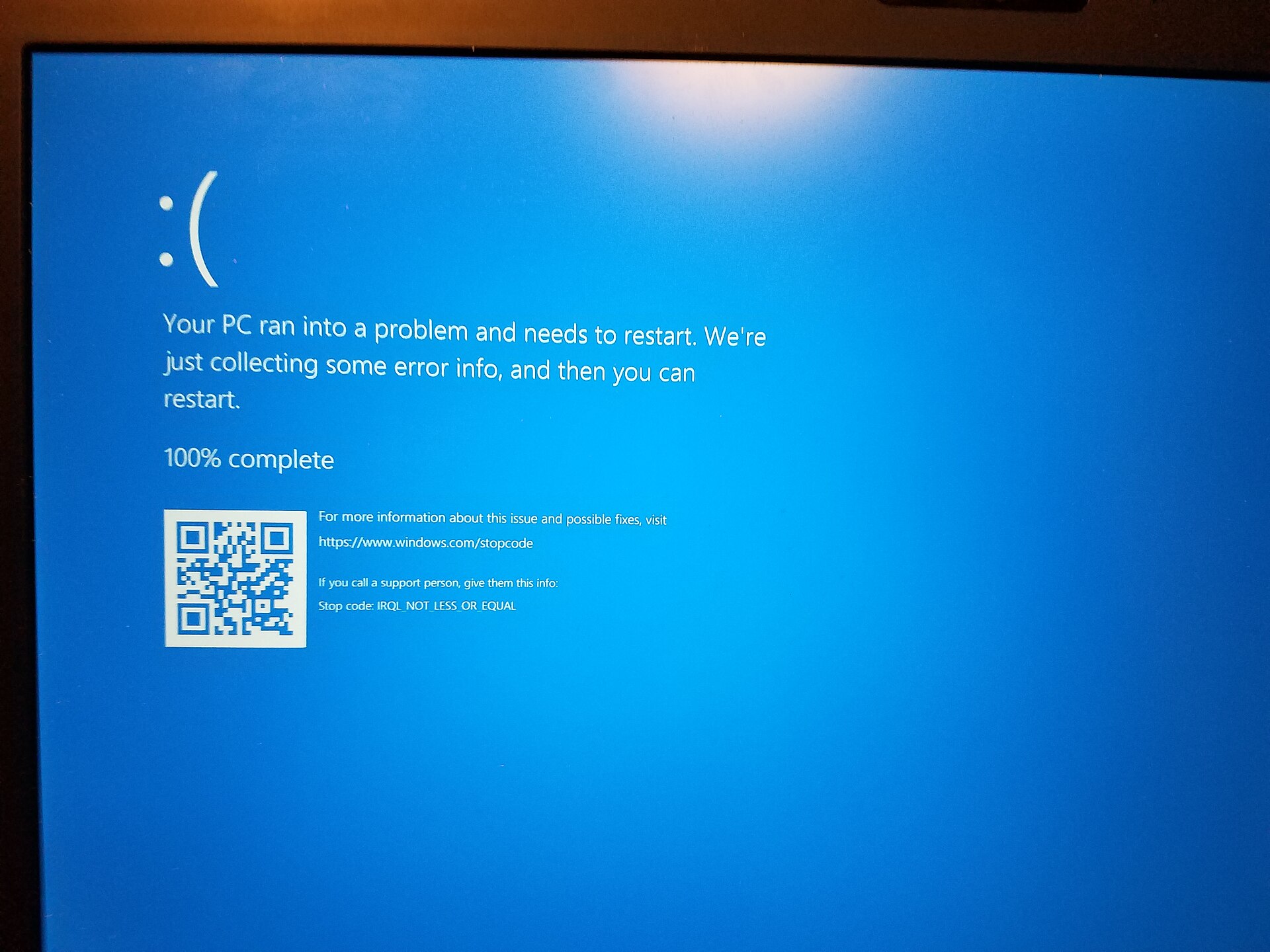
Figure 13.4 — A Windows 10 blue screen on a laptop. It shows a sad face, "Your PC ran into a problem and needs to restart", a progress percentage ("100% complete"), a QR code, a web address for help, and at the bottom the stop code: IRQL_NOT_LESS_OR_EQUAL. Photo: Oops4321, CC BY-SA 4.0, via Wikimedia Commons.

The stop code is the most important line. It tells you the kind of problem. On many blue screens Windows also prints "What failed: something.sys", naming the driver file that was running. That file name is your biggest clue.
14.1 Common Driver Bug Patterns
What it is: Driver bugs fall into a small number of well-known types. Learning them helps you understand blue-screen codes.
| Bug pattern | Plain explanation | Typical stop code |
|---|---|---|
| Bad pointer / null pointer | The driver uses a memory address that points nowhere (or to something that was already freed) | PAGE_FAULT_IN_NONPAGED_AREA, SYSTEM_SERVICE_EXCEPTION |
| Wrong IRQL | The driver does something forbidden at a high priority level, for example touching pageable memory in an ISR or DPC (Section 10) | IRQL_NOT_LESS_OR_EQUAL, DRIVER_IRQL_NOT_LESS_OR_EQUAL |
| Buffer overrun | Writes past the end of its memory block, overwriting a neighbour's data | Often shows up later in an unrelated driver; BAD_POOL_HEADER, PAGE_FAULT_IN_NONPAGED_AREA |
| Use after free | Keeps using memory after giving it back | Random crashes; BAD_POOL_CALLER |
| Memory leak | Asks for memory and never returns it. The PC slowly runs out | DRIVER_POWER_STATE_FAILURE or low-memory problems over days |
| Deadlock / hang | Two pieces of code each wait for the other forever | DPC_WATCHDOG_VIOLATION, CLOCK_WATCHDOG_TIMEOUT |
| Forgetting to complete an IRP | A request is never finished; the program waits forever | A frozen program; at power transitions: DRIVER_POWER_STATE_FAILURE |
| Race condition | Two cores touch the same data at the same moment, without a lock | Rare, unpredictable crashes |
| Bad DMA address | Device writes to the wrong place in RAM (Section 11) | Memory corruption; very hard to track |
| Unhandled exception | An error happens in kernel code, and nothing catches it | SYSTEM_SERVICE_EXCEPTION, KMODE_EXCEPTION_NOT_HANDLED |
| Failing to start a needed driver | A boot-critical driver or service cannot start | CRITICAL_SERVICE_FAILED, INACCESSIBLE_BOOT_DEVICE |
Why are these so dangerous in a driver? Because of ring 0. In a normal program, a bad pointer triggers an access violation and the program closes. In the kernel, the same bad pointer can corrupt shared data or has no handler. Windows must stop.
A tricky point: the driver named on the screen is not always the guilty one. A buggy driver may corrupt memory that another driver uses later. The second driver then crashes and gets blamed. That's why careful debugging (Section 15) looks at the evidence, not just at the name.
14.2 How a Driver Bug Causes a System Crash
What it is: The path from a bug to a blue screen, step by step. Let's use the most classic one: IRQL_NOT_LESS_OR_EQUAL.
 1. A driver's DPC runs at DISPATCH_LEVEL (IRQL 2)          (Section 10)
        │
        ▼
 2. It reads memory that is PAGEABLE (may be swapped out to disk)
        │
        ▼
 3. That page is not in RAM  ──►  CPU raises a PAGE FAULT   (Chapter 3)
        │
        ▼
 4. Memory Manager sees: "I'm at IRQL 2. I can't wait for the disk here."
        │
        ▼
 5. No safe way out ──► BUG CHECK  0xA  IRQL_NOT_LESS_OR_EQUAL
        │
        ▼
 6. Windows freezes everything, writes a crash dump, shows the blue screen,
    restarts
The name says it: the code touched memory at an IRQL that was not less than or equal to what is allowed for that memory.
What Windows does during a bug check (in order):
| Step | What happens |
|---|---|
| 1 | The kernel calls KeBugCheckEx with a stop code and four parameters (numbers that give details: the bad address, the IRQL, and so on) |
| 2 | All cores are stopped; interrupts are disabled |
| 3 | The blue screen is drawn |
| 4 | A crash dump is written to disk (if enabled), a copy of memory for later study |
| 5 | The PC restarts (or waits, depending on settings) |
Where the dumps are:
| File | Contents | Where |
|---|---|---|
| Minidump | Small (a few hundred KB to a few MB, depending on the settings): the stop code, the parameters, the list of loaded drivers and the stack of the failing thread | C:\Windows\Minidump\*.dmp |
| Kernel / complete dump | Much larger: kernel memory or all RAM | C:\Windows\MEMORY.DMP |
(Settings: System Properties → Advanced → Startup and Recovery → Settings → Write debugging information.)
A second, smaller picture. Here is another blue screen, taken in a virtual machine (a simulated PC). A VM is a safe place to see a blue screen. Note the 40% complete: Windows is collecting the dump while it counts up.
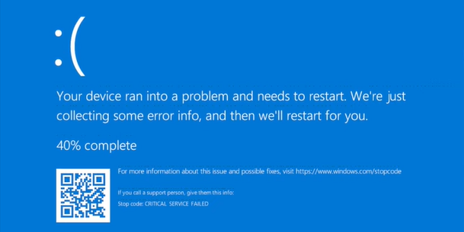
Figure 13.5 — A Windows 10 blue screen captured in a virtual machine. It says "40% complete" (the crash dump is being written) and the stop code is CRITICAL SERVICE FAILED: a driver or service Windows needs to run could not start. Screenshot: Apublishimage, CC0, via Wikimedia Commons.

Famous stop codes you should know:
| Stop code | Plain meaning | Usual cause |
|---|---|---|
DRIVER_IRQL_NOT_LESS_OR_EQUAL | A driver touched memory at a wrong priority level. Usually names the .sys file | Faulty network, graphics or other third-party driver |
IRQL_NOT_LESS_OR_EQUAL | Same idea; may be a driver or hardware (bad RAM) | Driver bug, or faulty RAM |
PAGE_FAULT_IN_NONPAGED_AREA | Code asked for memory that should always be in RAM, but is not valid | Bad pointer, bad RAM, antivirus driver |
SYSTEM_SERVICE_EXCEPTION | An error happened while running a system call | Graphics/other drivers |
CRITICAL_SERVICE_FAILED | A boot-critical driver or service failed to start | Broken or incompatible driver after an update |
INACCESSIBLE_BOOT_DEVICE | Windows can't read its own disk at boot | Missing storage driver, changed controller mode |
KMODE_EXCEPTION_NOT_HANDLED | A kernel-mode driver caused an exception no one handled | Many drivers |
DPC_WATCHDOG_VIOLATION | A DPC ran for too long or hardware didn't respond | Storage or other driver |
VIDEO_TDR_FAILURE | The graphics driver did not recover from a GPU hang | Graphics driver or hardware |
First steps after a blue screen (simple rules):
- Write down the stop code and any
.sysfile named. - Think: what changed recently? A new driver, Windows update, new hardware, new program?
- Undo the last change: roll back the driver (Device Manager → Properties → Driver → Roll Back Driver), or use System Restore.
- Update the driver from the maker's site or Windows Update.
- If a
.sysfile appears again and again, search for which program or device it belongs to. (driverquery /vand the file's Properties → Details will show the company.) - Run Windows' memory diagnostics if the codes are random (RAM faults look like driver faults).
- Boot into Safe Mode (it loads only essential drivers) to uninstall the bad one.
14.3 Driver Verifier Tool
What it is: Driver Verifier (verifier.exe) is a tool built into Windows. It stresses drivers on purpose to flush out hidden bugs. It watches the selected drivers very closely and checks for things like:
| Check | What it catches |
|---|---|
| Special pool | Puts each memory block next to a "trap" page, so a write past the end crashes right away (instead of corrupting something silently) |
| Force IRQL checking | Pushes pageable memory out of RAM so wrong-IRQL access always fails fast |
| Pool tracking | Detects memory leaks when a driver unloads |
| Deadlock detection | Finds locks taken in a risky order |
| Low resources simulation | Pretends memory is nearly full, to see if the driver copes |
| I/O verification | Checks that IRPs are handled correctly (Section 9) |
| DMA verification | Checks correct DMA usage (Section 11) |
The idea: a hidden bug that crashes a PC once a month will crash it in minutes under Verifier. That's valuable for the driver's developer, or when you need to find which third-party driver is guilty.
Basic usage (for knowledge; do not do this on your daily PC):
verifier            (opens the Driver Verifier Manager, needs administrator rights)
verifier /query     (shows the current Verifier status and any stats)
verifier /reset     (turns Verifier off, takes effect after restart)
WARNING: Driver Verifier can make a PC unable to start
- Verifier deliberately causes blue screens whenever it finds a bug. If a boot-start driver is being verified and it has a bug, the PC can crash at every boot, a boot loop that you cannot easily leave.
- It makes the PC slower.
- Use it only on a test machine or a virtual machine, never on your only computer, and never on a work PC.
- Before turning it on, make sure you know how to turn it off: from Safe Mode, or from the Windows Recovery Environment's Command Prompt, run
verifier /reset.- Select only the third-party drivers you want to test, not "all drivers".
- Back up your important data first.
(Section 15 shows how to read the results.)
Summary
| Term | Plain meaning |
|---|---|
| BSOD / bug check / stop error | Windows stopping itself because the kernel can't be trusted any longer |
| Stop code | Name of the failure: DRIVER_IRQL_NOT_LESS_OR_EQUAL, CRITICAL_SERVICE_FAILED... |
.sys file on screen | The driver that was running; a clue, but not always the real culprit |
| Why drivers crash the PC | They run in ring 0 with no safety net |
| Wrong IRQL | The most famous driver bug (pageable memory at DISPATCH_LEVEL or above) |
| Minidump | Small crash file in C:\Windows\Minidump |
| MEMORY.DMP | Large crash file in C:\Windows |
| Driver Verifier | verifier: stress-tests drivers; test machines only |