The Big Picture: The Manager and the Building Plans
Think of a big office building. The manager decides when the lights go off and when the air-conditioning slows down. But the manager does not know which switch is wired to which room. For that, the manager reads the building plans that the builder left behind.
Your PC works the same way:
- Windows is the manager. It decides when to sleep, slow down or switch something off. This is called policy.
- The firmware (BIOS/UEFI, Chapter 5) is the builder. It leaves behind plans that say how to do it on this exact motherboard. This is called mechanism.
- ACPI is the standard that defines the shape of those plans, so every manager can read every builder's plans.
In Chapter 4 you met ACPI in simple form (Section 5.4). Here we go inside it.
1.1 What ACPI Is (The OS and Hardware Negotiate Power)
What it is: ACPI (Advanced Configuration and Power Interface) is an open industry standard that lets the operating system control power and also discover and configure hardware. It was created in the late 1990s to replace APM (Advanced Power Management), where the BIOS alone decided about power and the OS had little say.
In Chapter 4 you met the picture "Windows decides, the tables tell how". Everything in this section is that picture, with names on every box.
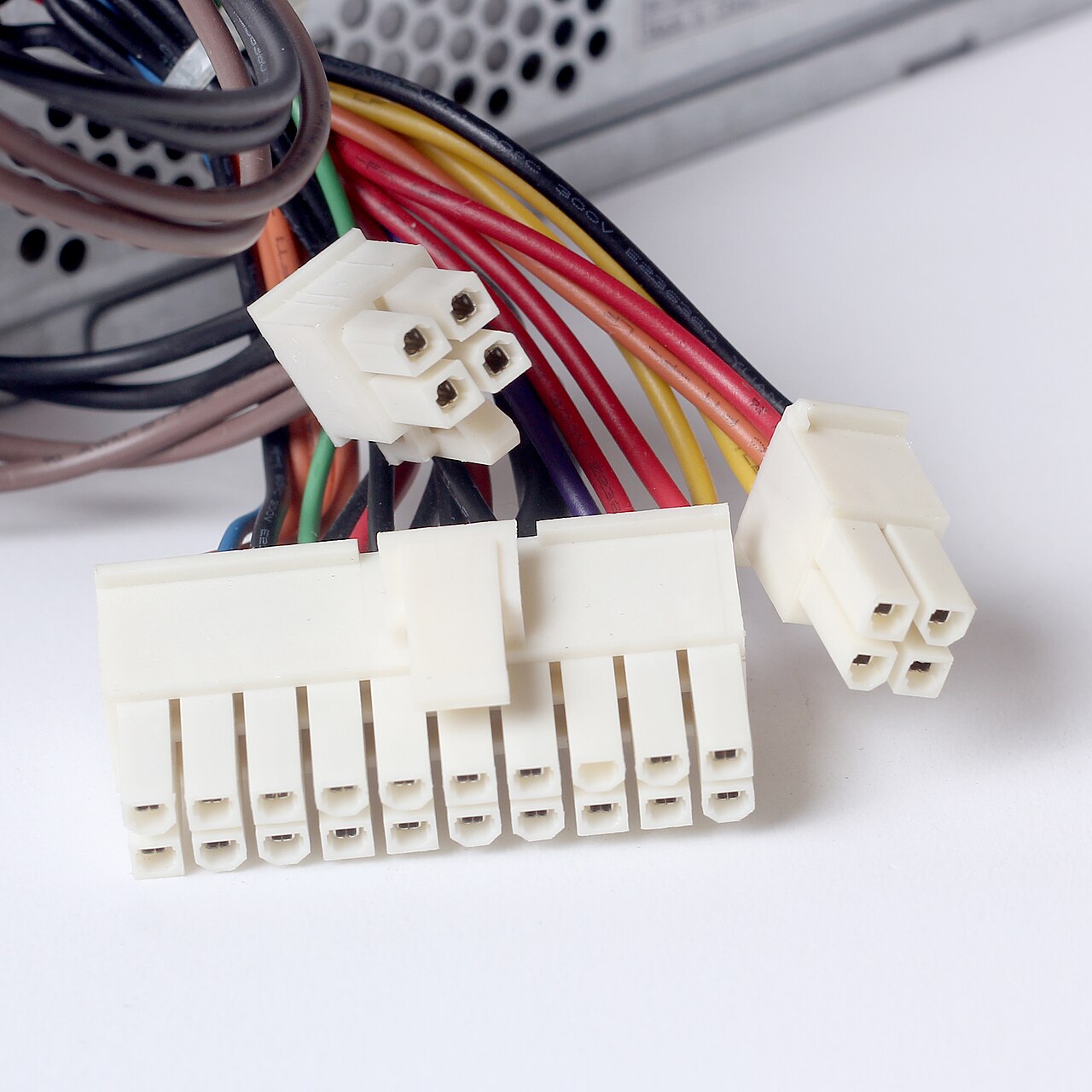
Figure 34.1 — Where power enters a desktop PC: the plugs from the power supply. The large 24-pin connector carries the main power and also the "turn on" and standby signals that ACPI and the firmware depend on (Chapter 4, Section 5.1). Photo: Dmitry Makeev, CC BY-SA 4.0, via Wikimedia Commons.

Who does what:
| Part | Job | Example |
|---|---|---|
Power Manager (the Po part of the Windows kernel, ntoskrnl.exe) | Decides policy: "no input for 10 minutes, so sleep" | Lid closed, so go to sleep |
ACPI driver (acpi.sys) | Reads the firmware's tables and does what they say | Turn this device off using the method the table gives |
| Firmware tables | Describe the hardware and the exact steps to change its power state | "To switch off this port, run method _OFF" |
| Hardware | Actually changes state | A device loses power |
The ACPI driver in the stack. In Chapter 13 you learned that every device has a driver stack, a chain of drivers that a request passes through. Windows builds the stack for each device when it is found (this is called Plug and Play, or PnP). acpi.sys sits at the bottom of the stack for many devices. In Device Manager you can see it as Microsoft ACPI-Compliant System, the item you opened in the Chapter 4 lab.
Power IRPs. Windows asks drivers to change power state using a message called a power IRP (I/O Request Packet, Chapter 13). Its code is IRP_MJ_POWER. The Power Manager sends it down the stack, and each driver does its part:
Power Manager (policy)       "Sleep now"
        |
        v
  Function driver            saves the device's settings
        |
        v
  Bus driver (PCI, USB)      tells the device to power down
        |
        v
  acpi.sys                   runs the firmware's method for the device
        |
        v
  Hardware                   device is now off
A driver that does not handle this message correctly is a very common cause of a PC that will not sleep or will not wake up (see the Knowledge Check).
1.2 ACPI Tables Provided by Firmware
What it is: At startup the firmware places a set of ACPI tables in memory and tells the OS where they are. Each table is a block of data with a four-letter name. Windows reads them early in boot (Chapter 6) and keeps using them while it runs.
The most important tables:
| Table | Full name | What it holds |
|---|---|---|
| RSDP | Root System Description Pointer | The "front door": tells the OS where the other tables start |
| XSDT (or RSDT) | Extended System Description Table | A list of pointers to all the other tables |
| FADT | Fixed ACPI Description Table | Basic power facts: how to enter sleep, where the power button is |
| DSDT | Differentiated System Description Table | The main description of the machine's devices, with code |
| SSDT | Secondary System Description Table | Extra pieces of description and code; there can be several |
| MADT | Multiple APIC Description Table | The CPU cores and interrupt controllers (Chapter 4, Section 3) |
AML: the code inside the tables. The DSDT and SSDTs contain AML (ACPI Machine Language). AML is a small program language that the firmware's maker writes. The OS has an AML interpreter (part of the ACPI driver) that runs it. This is why the same Windows works on thousands of different boards: the board's own AML contains the board-specific steps.
Many items in the tables are methods with names that start with an underscore. You do not need to memorise them. A few examples:
| Method | Plain meaning |
|---|---|
_PS0 | "Put this device in its fully-on state" |
_PS3 | "Put this device in its off state" |
_PRW | "Power resources for wake": which events can wake the PC from this device |
_S3, _S4, _S5 | Values used to enter the matching system sleep state |
Firmware (UEFI)                        Windows
+----------------+                    +----------------------+
| builds tables  |  ---- memory --->  | acpi.sys reads tables|
| DSDT, SSDT     |                    | AML interpreter runs |
| (with AML)     |  <-- "run _PS3" -- | methods on request   |
+----------------+                    +----------------------+
Can I see the tables? Yes, with special tools, but you do not need them. In Device Manager, devices with the name ACPI in them (for example ACPI Lid, ACPI Power Button, Microsoft ACPI-Compliant Control Method Battery) are built from these tables. The Control Method Battery is a battery that is read through AML methods (Section 9).
Hedge: Which tables exist and how large they are differs from machine to machine. Do not expect your PC to match a textbook list exactly.
1.3 ACPI and the Driver Stack (Tying It Together)
| Chapter | What you learned | How it joins in |
|---|---|---|
| Chapter 5 — BIOS and UEFI | Firmware starts the PC | Firmware builds the ACPI tables |
| Chapter 6 — Complete Boot Process | The loader starts the kernel | The kernel reads the tables and starts acpi.sys |
| Chapter 13 — Device Drivers | Drivers form stacks; IRPs travel in them | Power changes travel as IRP_MJ_POWER |
| Chapter 14 — Device Manager | A tree of devices | Shows the ACPI devices and each device's Power Management tab |
Summary
| Term | Plain meaning |
|---|---|
| ACPI | Standard where the OS controls power and the firmware describes the hardware |
| Policy vs mechanism | Windows decides when; the firmware tables say how |
Power Manager (Po) | The part of the Windows kernel that makes power decisions |
acpi.sys | The Windows driver that reads the tables and runs their code |
| DSDT / SSDT | Firmware tables that describe devices and hold AML code |
| AML | The small program language inside the tables |
IRP_MJ_POWER | The message that carries power changes down the driver stack |