The Big Picture: A Fuel Tank That Slowly Shrinks
A laptop battery is like a fuel tank, but one that gets a little smaller every time you use it. Windows cannot make the tank bigger, but it can read the gauge, tell you how much is left and how healthy the tank is, and avoid habits that wear it out faster.
9.1 Battery Reporting to the OS
What it is: A laptop battery is not just cells. It is a pack with a small computer-like board, and that board tells Windows about its state.
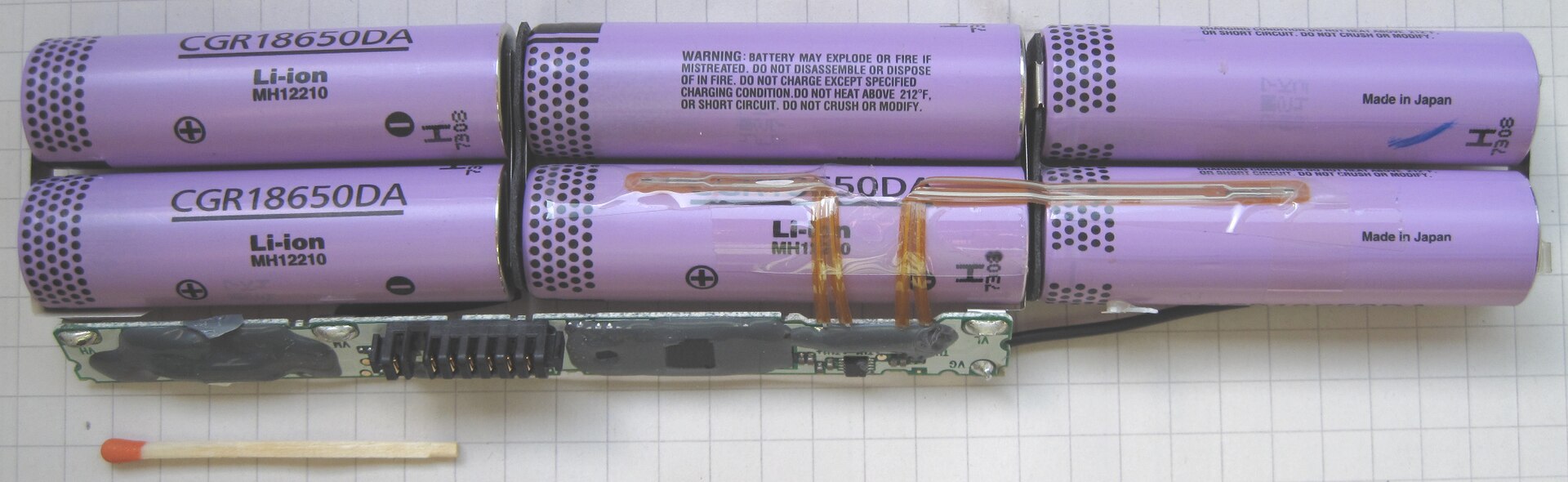
Figure 34.2 — The inside of a laptop battery pack, on squared paper with a matchstick for scale. Look for the six purple cylindrical cells (printed "Li-ion" and carrying a safety warning) in two rows of three, the thin circuit board with a gold-pin connector along the bottom, and the orange flexible strips that join the cells. Photo: Lead holder, CC BY-SA 3.0, via Wikimedia Commons.

| Part | Job |
|---|---|
| Li-ion cells (lithium-ion) | Store the energy. Several are joined in series (adds voltage) and in parallel (adds capacity) to make the pack |
| Protection circuit | Cuts off the cells if they are overcharged, over-discharged, too hot or short-circuited |
| Gauge (fuel gauge) circuit | Measures current and voltage and estimates charge left and the battery's real capacity |
| Connector | Carries power, plus a small data link to the laptop |
The data link lets the laptop's firmware and Windows read the battery status. In Device Manager (Chapter 14) you will see two items under Batteries: Microsoft ACPI-Compliant Control Method Battery (the battery, read through ACPI tables from Section 1) and Microsoft AC Adapter.
What Windows can learn:
| Information | Meaning |
|---|---|
| Charge level | Percent left, shown in the taskbar icon |
| Charging or discharging | Whether the charger is helping |
| Estimated time left | A guess based on recent use (it moves around) |
| Design capacity | How much the battery could hold when new |
| Full charge capacity | How much it holds now when full |
| Cycle count | How many full charge-discharge rounds it has had (some makers report it) |
On desktop PCs there is no main battery, so many of these do not apply.
9.2 Battery Health and Wear Awareness
What it is: All Li-ion batteries age. Each use and each hot day takes a little capacity away permanently.
Battery health  =  Full charge capacity  /  Design capacity

Example:  new pack designed for 50,000 mWh
          now holds only 40,000 mWh when full
          health = 40,000 / 50,000 = 80%
A health of 100% means "like new". A battery under about 80% is often called worn: you still use it, but it empties noticeably faster.
What wears a battery faster (and how to slow it):
| Wear factor | What you can do |
|---|---|
| Heat (the biggest enemy) | Do not leave the laptop in a hot car or on a bed or sofa that blocks vents; clean fans and vents |
| Staying at 100% charge for months | If the maker offers a charge limit or conservation mode, using it can help (see below) |
| Frequent very deep discharges to 0% | Charge before it hits the very bottom |
| Cycle count | Each cycle ages the cells; a cycle is counted as total charge of 100%, not just one plug-in |
Charge limits. Many PC makers (not Windows itself) add a feature in their own app or in the firmware setup (Chapter 5) that stops charging at, say, 80%. Names differ, such as conservation mode or battery care. Windows may also show a "battery health" or "smart charging" style option on some PCs (hedge: names and availability differ by maker and version).
9.3 Seeing Health With powercfg /batteryreport
What it is: powercfg /batteryreport writes an HTML report about the battery. It is read-only for your system settings; it only creates a file.
powercfg /batteryreport
It prints where it saved the file, normally battery-report.html in the folder where you ran the command. Open it in a browser. Look for:
| Part of the report | What it shows |
|---|---|
| Installed batteries | Name, manufacturer, chemistry, design capacity, full charge capacity, cycle count (if reported) |
| Recent usage | When the PC was on battery, on AC power, or in standby |
| Battery usage | The drain over the last few days |
| Usage history | Time on battery vs AC over weeks |
| Battery capacity history | Full charge vs design capacity over time: the "tank shrinking" graph |
| Battery life estimates | How long it might last at the recent usage |
Hedge: it works on laptops and tablets with a battery. On a desktop it says no battery was found. Some PCs report some fields as blank.
9.4 Battery Saver and Background Drain
Battery saver is a Windows feature in Settings → System → Power & battery (Chapter 16). When switched on (manually, or automatically at a chosen level such as 20%), Windows reduces screen brightness and limits some background activity, so the charge lasts longer.
| What drains the battery fastest | Remedy |
|---|---|
| Screen brightness | Lower it |
| CPU load from apps or browser tabs | Close heavy apps (look in Task Manager, Chapter 11) |
| Background apps and sync | Review apps allowed to run in the background |
| Wi-Fi/Bluetooth being busy | Turn off when not needed |
| Hot environment | Keep the PC cool |
| Modern Standby problems (Section 5) | Use powercfg /sleepstudy |
Windows also shows a battery usage by app view in Settings, so you can see which apps used most.
9.5 A Different Battery: The CMOS Coin Cell
Do not mix up the main battery with the small coin cell on the motherboard. They have different jobs.
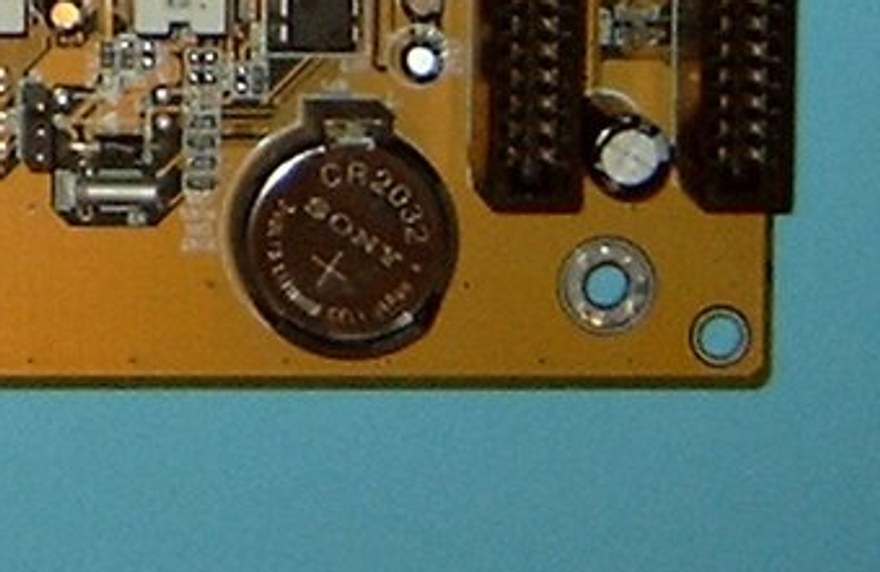
Figure 34.3 — The small CR2032 coin battery on a motherboard, shown in Chapter 4. It only keeps the clock and firmware settings alive when the PC has no other power. Photo: Arnulf zu Linden, CC BY-SA 3.0, cropped, via Wikimedia Commons.

| Main laptop battery | CMOS coin cell | |
|---|---|---|
| Type | Li-ion pack with protection board | CR2032 lithium coin cell (not rechargeable) |
| Job | Runs the whole laptop | Keeps the real-time clock and firmware settings alive |
| Life | A few years, wears with use | Often several years |
9.6 Safety: A Swollen Battery
Safety: If a laptop's battery swells, so the case bulges, the trackpad lifts or the lid will not close flat, stop using it. Do not charge it, puncture it or squeeze it. Unplug the PC, power it off and have the battery replaced by a repair shop. A damaged Li-ion battery can overheat or catch fire. The safety warning printed on the cells in Figure 34.2 is there for this reason.
Summary
| Term | Plain meaning |
|---|---|
| Li-ion pack | Several cells plus a protection and gauge board |
| Design capacity | What it held when new |
| Full charge capacity | What it holds now |
| Health | Full charge / design capacity (as a percentage) |
| Cycle count | How many full charge-discharge rounds |
powercfg /batteryreport | Creates battery-report.html (laptops) |
| Charge limit | Maker feature that stops charging at about 80% to reduce wear |
| Battery saver | Windows mode that limits background work and brightness |
| Heat | The biggest enemy of battery life |