The Big Picture: The CPU's Actual Job
Take away every buzzword and the CPU does just one thing, billions of times every second:
Fetch an instruction → Decode it → Execute it → Move to the next one.
An instruction is one tiny command, such as "add these two numbers". Windows, drivers, apps and games are all just very long lists of instructions fed into this loop.
┌─────────────────────────────────────────────────┐
│                 THE CPU LOOP                     │
│                                                   │
│   FETCH  →  DECODE  →  EXECUTE  →  (repeat)      │
│                                                   │
│  "get the   "figure out   "actually do it        │
│  next       what it        (add numbers,         │
│  instruction" means"       move data, etc.)"     │
└─────────────────────────────────────────────────┘
This is called the instruction cycle. It is the most important idea in this chapter. Everything else (cores, cache, pipelining, privilege levels) exists to make this loop faster, safer, or run more times at once.
What it looks like: Here is a real CPU chip with its protective lid removed. This one is a DEC Alpha from the 1990s. The pink and green rectangles are blocks of the chip. The thin gold wires run from the chip edge to the pins that connect it to the outside world.
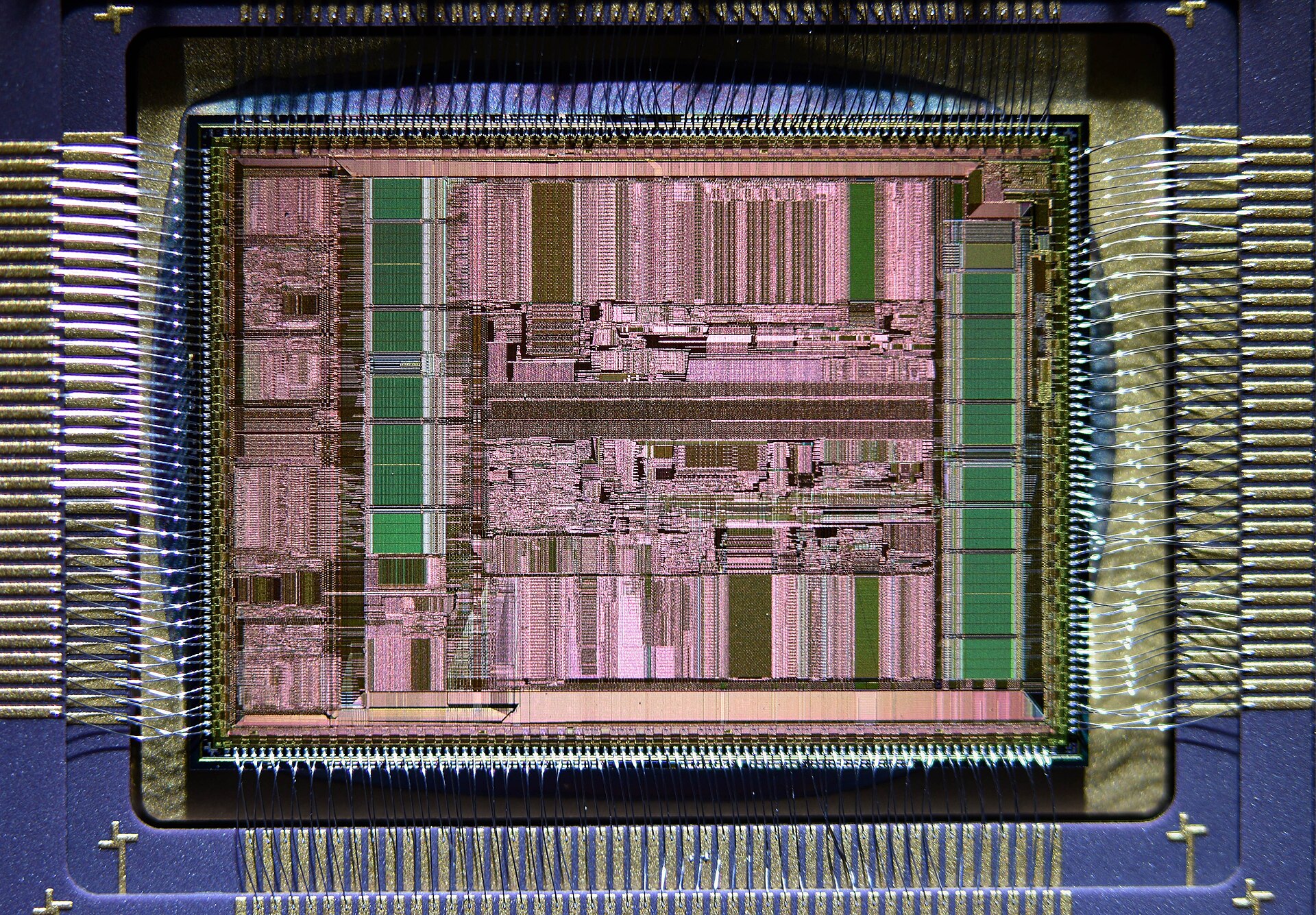
Figure 2.1 — The bare silicon chip (the "die") of a DEC Alpha 21066 CPU. Look for the colourful rectangular blocks in the middle and the fine gold wires running out to the edge pads. Photo: Martijn Boer, public domain, via Wikimedia Commons.

The CPU does not float in space. It sits in a socket on the motherboard. Look at the empty socket below. It is a square field of tiny gold pins. The CPU has flat contact pads on its underside, and each pad touches one pin. The metal frame and lever clamp the CPU down.
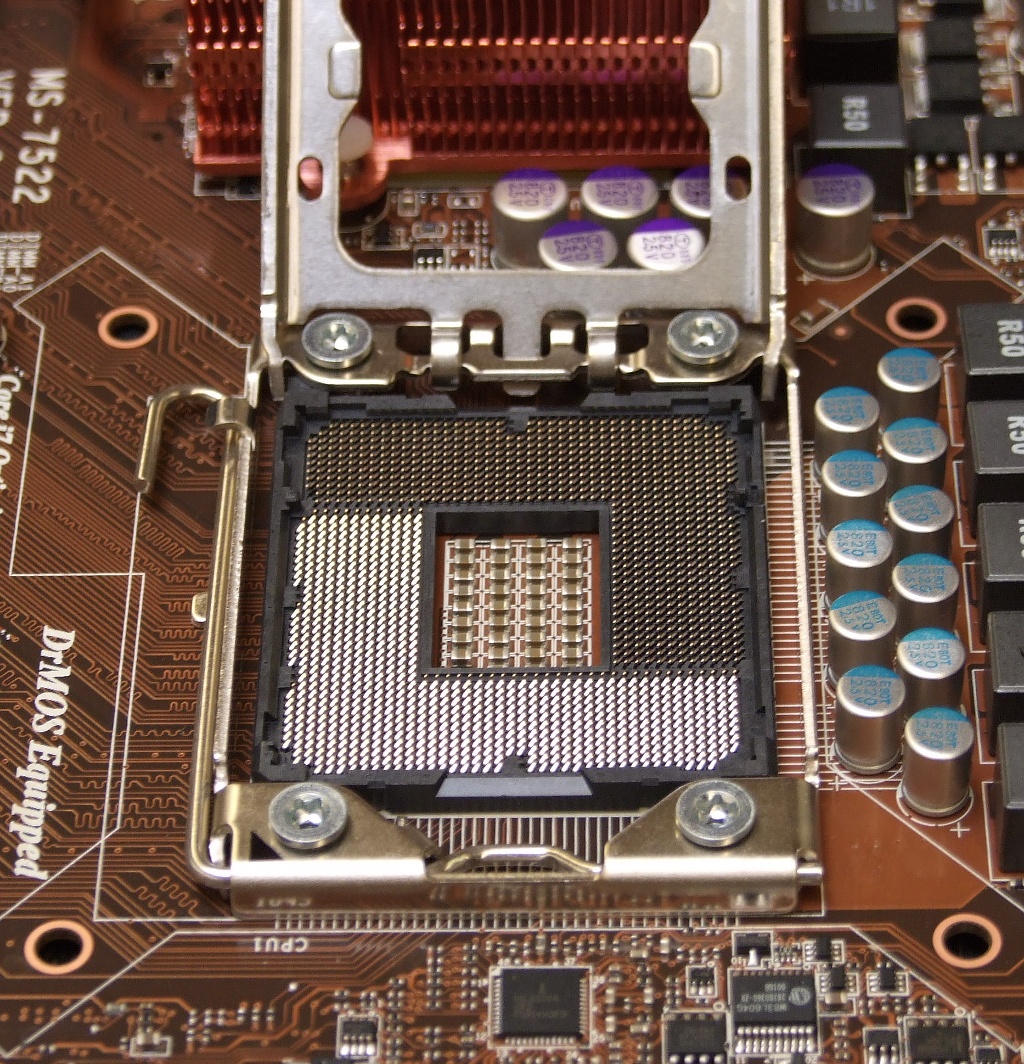
Figure 2.2 — An empty Intel LGA 1366 CPU socket. Look for the grid of tiny gold pins in the centre, and the metal frame and lever around it. Photo: Appaloosa, CC BY-SA 3.0, via Wikimedia Commons.

Why CPU Internals Matter
You do not need to know CPU internals to use a computer. You need them to:
| Goal | The question you can then answer |
|---|---|
| Understand performance | Why does one app feel instant and another feel slow, on the same CPU? |
| Understand Task Manager | What does "CPU 40%" mean when you have 8 cores? |
| Understand security | Why can't a website read your password from another tab? |
| Understand troubleshooting | Why does a CPU throttle (slow itself down)? Why does a program "hang" instead of crash? |
| Shop for hardware | Is a 6-core 5 GHz CPU better than a 12-core 3.5 GHz CPU? (Answer: it depends. After this chapter you will know on what.) |
The CPU Is "Dumb," On Purpose
What it is: A CPU has no idea what a web browser is, what a photo is, or what "saving a file" means. It only understands raw instructions like these:
MOV EAX, 5        ; put the number 5 into register EAX
ADD EAX, 3        ; add 3 to it
STORE [0x1000], EAX  ; write the result to memory address 0x1000
A register is a tiny storage box inside the CPU (like a sticky note on your desk). EAX is the name of one of them. A memory address is the number of a slot in RAM, like a house number on a street.
Every action you take (opening Chrome, typing a message, playing a video) is translated, layer by layer, into millions of instructions like these. The CPU has no idea what "Chrome" is. It only sees MOV, ADD, JMP, CALL and a few hundred other instruction types.
The key mindset: the CPU is not clever. It is extremely fast at doing extremely simple things. Think of a worker who can only follow one-line orders, but can follow billions of them per second.
What the CPU Cannot Do Alone
The CPU cannot, by itself:
- Store large amounts of data. That is the job of RAM and storage.
- Talk directly to most devices. That is the job of the chipset, buses and drivers (Chapter 4).
- Decide what should run and when when many programs are open. That is the job of the OS scheduler (Chapter 9/10).
The CPU is one part of a bigger system. Its whole job is to run instructions as fast as physically possible. Everything else in this chapter is about the tricks engineers use to make that loop faster without breaking correctness.
Summary
| Term | Plain meaning |
|---|---|
| Instruction | One tiny command, like "add these two numbers" |
| Instruction cycle | Fetch → Decode → Execute, repeated forever |
| Register | A tiny storage box inside the CPU |
| Die | The bare silicon chip inside the CPU package |
| Socket | The holder on the motherboard where the CPU sits |
| "Dumb on purpose" | The CPU does simple things, but extremely fast |