Random Access Memory — The Definition
What it is: RAM (Random Access Memory) is the electronic memory the CPU uses to hold the data and instructions it is working on right now. Think of it as your desk: the things you are using today are on the desk, within arm's reach.
Here is what real RAM looks like. This is a stick for a desktop PC:
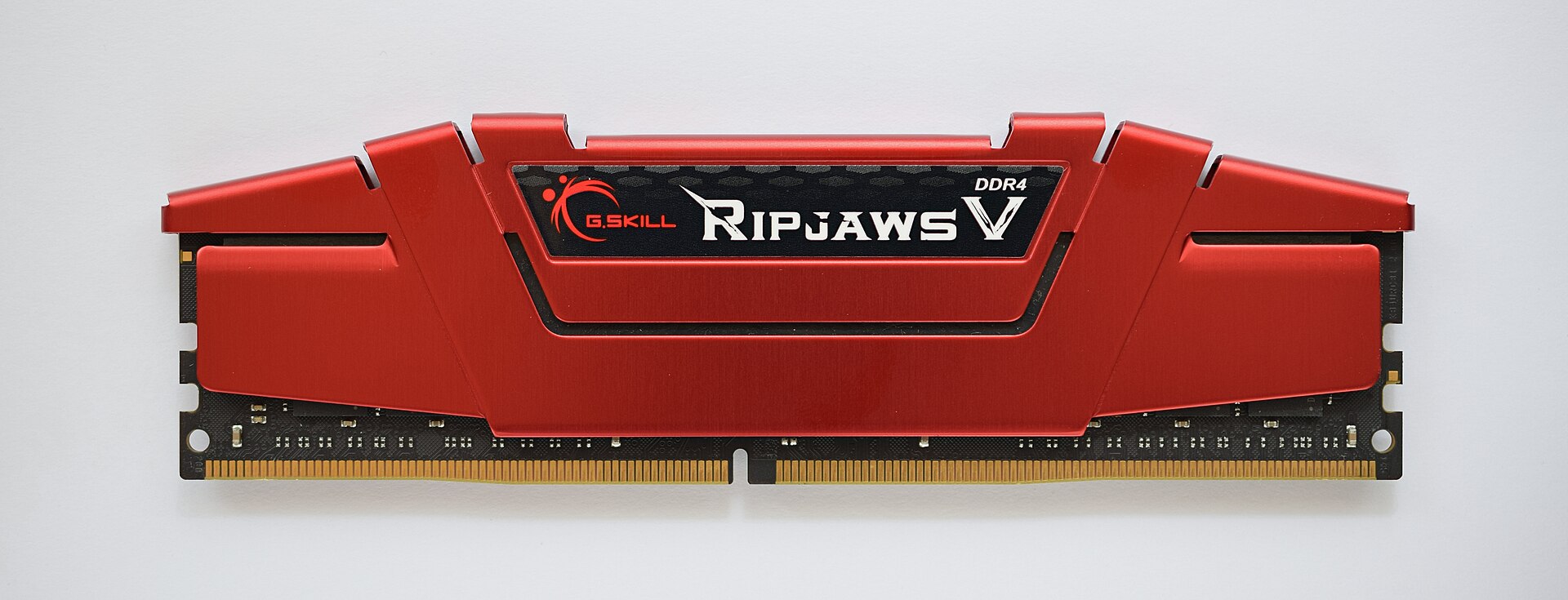
Figure 3.1 — A desktop RAM stick (DDR4). Look at the bottom edge: the gold strip is the contacts that push into the motherboard slot, and the small notch makes sure you cannot fit the stick in the wrong way round or into the wrong type of slot. The red metal plate is a heat spreader (more in Section 10); the memory chips are hidden under it. Photo: ElooKoN, CC BY-SA 4.0, via Wikimedia Commons.

Laptops need something smaller. Their RAM comes on a shorter stick called an SO-DIMM ("Small Outline Dual Inline Memory Module"):
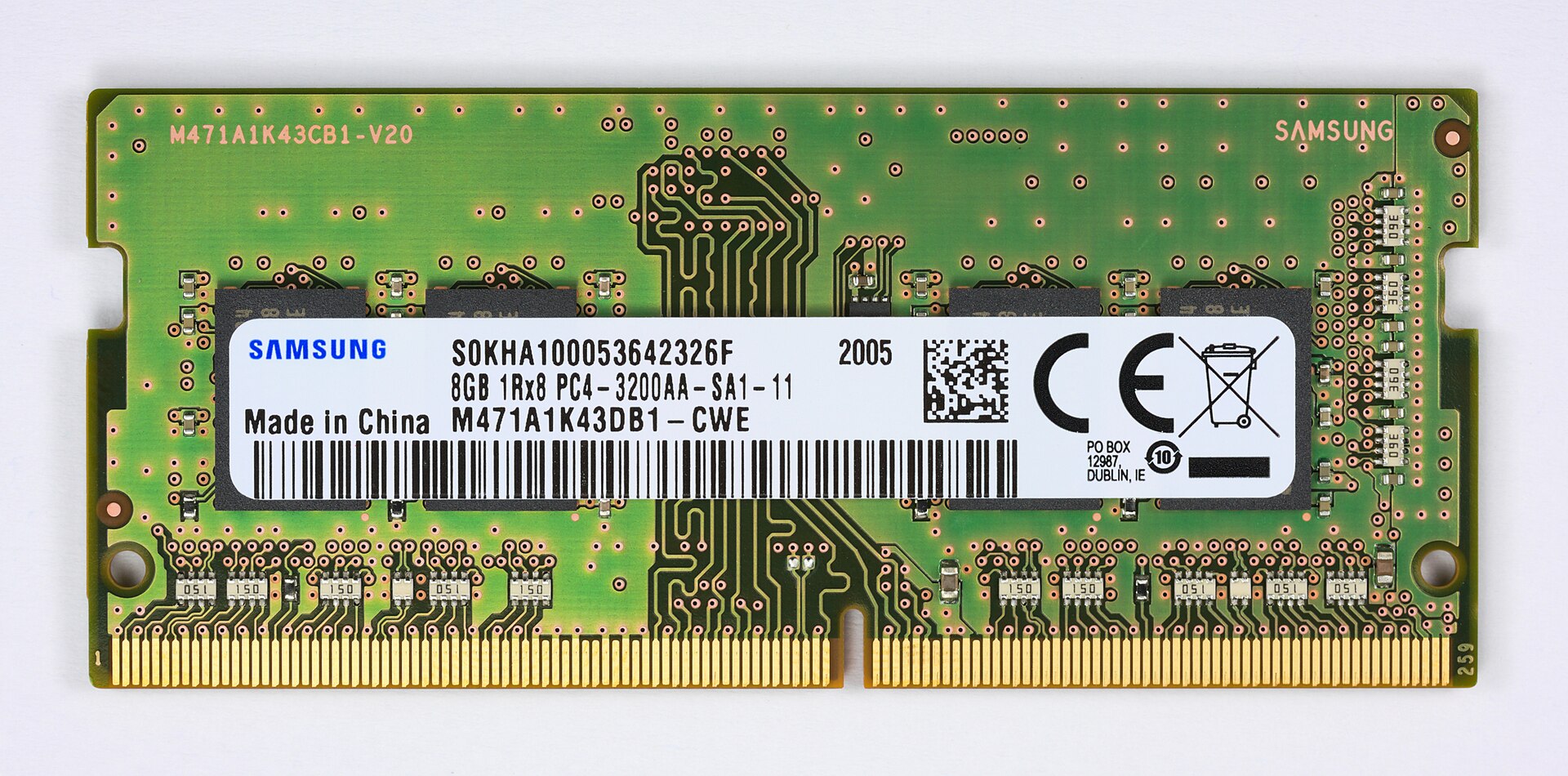
Figure 3.2 — A laptop RAM stick (8 GB DDR4 SO-DIMM). You can see the black memory chips under the white label, the gold contacts along the bottom, and the notch. Same ideas as the desktop stick, just shorter. Photo: D-Kuru, CC BY-SA 4.0, via Wikimedia Commons.

Why "random access"? Any place in RAM can be reached in about the same time, wherever it sits on the chip. Compare that with a tape or a spinning hard disk, where far-away data takes longer to reach than nearby data. "Random access" simply means "any address, same speed."
Volatile vs. Non-Volatile
This is the most important property of RAM:
| Type | Meaning | Examples |
|---|---|---|
| Volatile | Loses its contents the instant power is removed | RAM, CPU cache, CPU registers |
| Non-volatile | Keeps its contents without power | SSD, HDD, BIOS/UEFI chip, USB flash drive |
RAM is volatile. The moment power is lost — a shutdown, a crash, a pulled plug — everything in RAM is gone for good. This is not a design mistake. It is a direct result of how RAM stores data (Section 2), and it is exactly what makes RAM fast enough to keep up with the CPU.
Analogy: RAM is a whiteboard. It is quick to write on and quick to read, but if someone switches off the lights (power), it wipes itself. Storage (SSD/HDD) is a notebook: slower to write in, but it keeps what you wrote.
Why RAM Is Necessary
You may ask: storage can hold data permanently, so why not let the CPU work directly with storage and skip RAM?
The answer is a huge speed gap. Here is how long each one takes to answer a request:
CPU:      operates at ~0.25 nanoseconds per cycle
RAM:      responds in ~60–100 nanoseconds
SSD:      responds in ~10,000–100,000+ nanoseconds
HDD:      responds in ~5,000,000–10,000,000+ nanoseconds
(A nanosecond is one billionth of a second.)
If the CPU had to fetch every instruction and every piece of data straight from an SSD or HDD, it would spend almost all its time waiting. Even a fast SSD is tens of thousands of times slower than RAM. So RAM sits in the middle: fast enough to keep the CPU fed, big enough to hold everything in use, but not permanent. The "permanent" job is left to storage, which gives up speed in return for keeping data safely and costing less per gigabyte.
This continues the cache idea from Chapter 2, Section 3. RAM is just the next rung on the same ladder that starts at the CPU registers. Each rung down is bigger and slower:
Registers → L1 → L2 → L3 → RAM → Storage (SSD/HDD)
 fastest, smallest                    slowest, largest
Why It's Necessary — In Practice
When you open a program:
- The program's code and data are read from storage (slow)
- They are copied into RAM (much quicker to reach from now on)
- The CPU reads instructions and data straight out of RAM (through the caches) while the program runs
Without RAM, step 3 would go to storage every single time. Every key press, every mouse click and every calculation would become a wait of several milliseconds (thousandths of a second) instead of an almost instant reply.
Historical Context — Speed Improvements
RAM has grown a lot in size and speed since the first home computers. But RAM speed has grown much more slowly than CPU speed. That gap is why the cache hierarchy from Chapter 2 became so important. It is sometimes called the "memory wall".
| Era | Typical RAM amount | Typical RAM type |
|---|---|---|
| Early 1980s | 16–64 KB | DRAM |
| Early 1990s | 4–16 MB | Fast Page Mode DRAM |
| Early 2000s | 256 MB–1 GB | DDR / DDR2 |
| 2010s | 4–16 GB | DDR3 / DDR4 |
| 2020s | 8–64+ GB | DDR4 / DDR5 |
Summary
| Topic | Remember this |
|---|---|
| RAM | The CPU's fast "desk" for the data and code in use right now |
| Random access | Any address takes about the same time to reach |
| Volatile | RAM forgets everything when the power goes off |
| Why not use storage directly? | An SSD is tens of thousands of times slower; the CPU would just wait |
| Memory wall | CPUs got faster much quicker than RAM did, so caches were added |
Key idea to carry forward: RAM is fast, volatile, and exists only to give the CPU something far quicker than storage. But as you will see in Section 3, what a program sees when it "uses RAM" is not quite what is physically happening.