The Big Picture: A Tiny Safe Inside Your PC
Software can be copied, changed and read. If you keep a secret key only in software, a clever attacker with enough access can copy it. What you want is a small safe that can use a key for you but never hand it over.
That safe is the TPM, the Trusted Platform Module. It is a small, separate security chip (or a protected piece of firmware) on your PC. Windows 11 requires one, which is why you hear about "TPM 2.0" so often.
4.1 What TPM Is (Secure Crypto Hardware)
What it is: A TPM is a tiny computer with a narrow job: create and protect cryptographic keys, record measurements of the boot, and answer security questions. It has its own small processor, its own memory and a random number generator (a source of unpredictable numbers, needed to make good keys).
Cryptography words, explained once:
| Word | Plain meaning |
|---|---|
| Key | A secret number used to lock (encrypt) or sign data |
| Encrypt / decrypt | Scramble data so it is unreadable / unscramble it with the key |
| Hash | A short "fingerprint" of data. Change one bit and the fingerprint changes completely |
| Sign | Use a private key to make a stamp that proves who made something |
Two ways a TPM is built:
| Type | What it is |
|---|---|
| Discrete TPM (dTPM) | A separate chip soldered on the board, or a small plug-in module. Has its own tamper resistance. |
| Firmware TPM (fTPM) | The TPM runs as protected code inside the CPU or chipset. Intel calls it PTT (Platform Trust Technology), AMD calls it fTPM. No extra chip needed. |
Old PCs had a TPM as a small add-on board that plugged into a header on the motherboard:
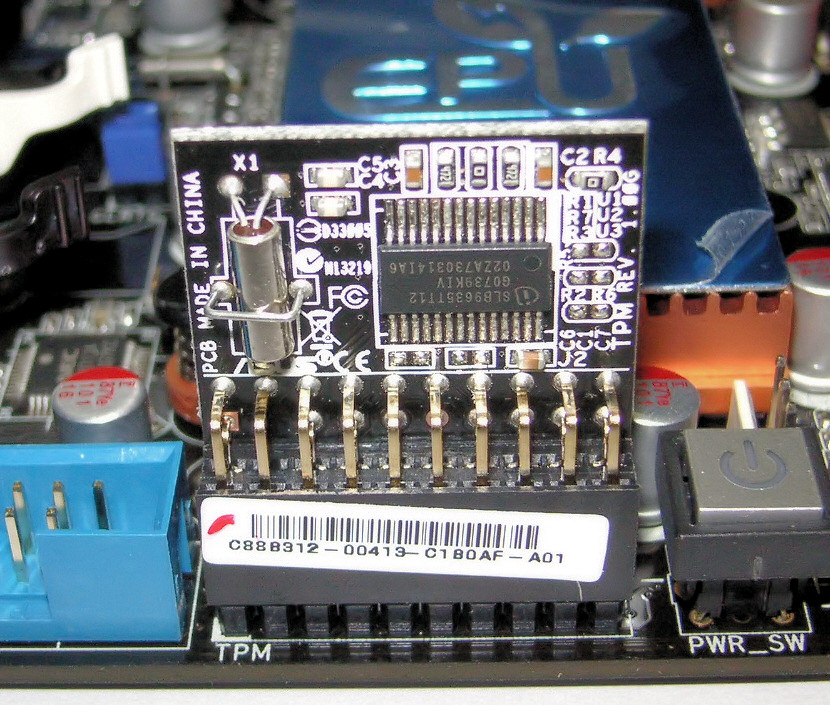
Figure 26.2 — The older way: a separate TPM module plugged into a header marked "TPM". The square chip on it is an Infineon TPM. Photo: FxJ, public domain, via Wikimedia Commons.

Most modern PCs have the TPM built in. Here is a discrete TPM chip soldered straight onto a board (this one is from a Lenovo Chromebook board, but the idea is the same on a Windows laptop):
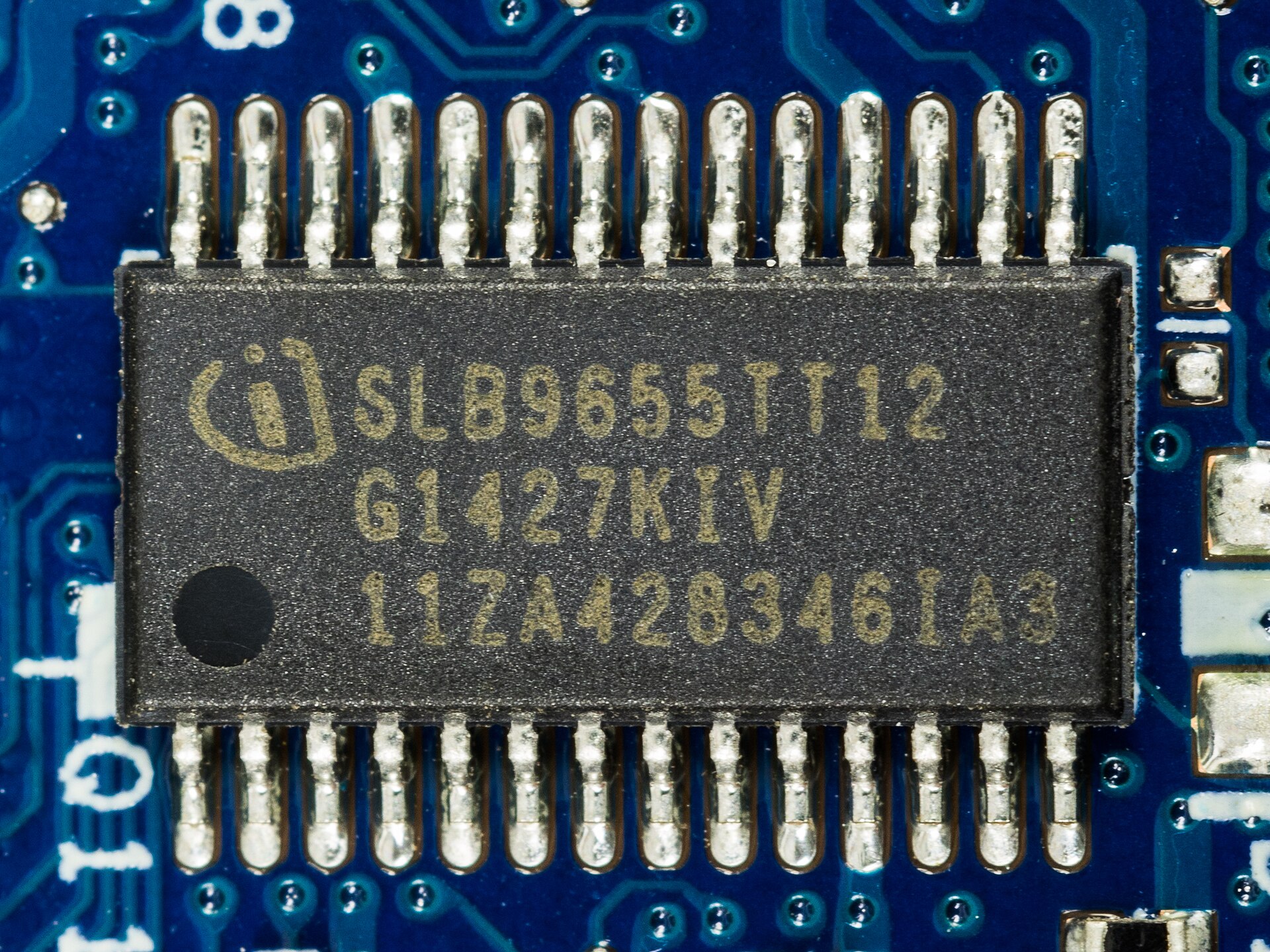
Figure 26.3 — The modern way: the TPM chip soldered onto the board. A black package with 28 legs, marked Infineon. Photo: Raimond Spekking, CC BY-SA 4.0, via Wikimedia Commons.

Versions. TPM 1.2 is old. TPM 2.0 is newer, supports more modern algorithms, and is required by Windows 11. If a PC has a TPM 2.0 turned off in firmware, you can usually switch it on in UEFI settings (it may be named "Intel PTT", "AMD fTPM", or "Security Device").
What a TPM can and cannot do:
| It can | It cannot |
|---|---|
| Make keys inside itself and never let them out | Stop malware from running |
| Sign and decrypt for software that asks | Encrypt your whole disk by itself (that is BitLocker's job) |
| Record the boot chain in special registers | Fix a PC that is already infected |
| Slow down password guessing | Protect you if you give away the key's use to an attacker who is already logged in as you |
How to check yours:
| Method | What to do |
|---|---|
tpm.msc | Press Win + R, run tpm.msc. It shows "The TPM is ready for use", the Specification Version (hopefully 2.0) and the manufacturer. |
| PowerShell (as admin) | Get-Tpm shows TpmPresent, TpmReady, ManufacturerIdTxt and more. |
4.2 Key Storage and Sealing
Key storage: keys that cannot be read out. When Windows asks a TPM to make a key, the TPM generates it inside and gives back only a handle (a reference). The raw key never leaves the chip in plain form. When you need to sign or decrypt something, you send the data in, and the TPM sends the result out.
Large keys can be stored outside, wrapped (locked) by a key that only this TPM holds. So even a copy of the disk does not reveal them without that exact TPM.
   Software                       TPM
 ┌─────────────┐   "sign this"  ┌────────────────────┐
 │ Windows     │ ─────────────► │ private key (never │
 │             │ ◄───────────── │ leaves the chip)   │
 └─────────────┘   signature    └────────────────────┘
PCRs and Measured Boot. The TPM has a set of small special registers called PCRs (Platform Configuration Registers). A PCR cannot be set directly. It can only be extended:
new PCR value = hash( old PCR value + new measurement )
That means a PCR holds a running fingerprint of everything measured, in order. You cannot undo or fake it: to reach the same final value, you must send the exact same measurements in the same order. As the PC boots, each part measures (hashes) the next part into a PCR before running it. This is Measured Boot.
 Power on
    │
    ▼
 ┌────────────────────┐ measures ┌──────────────────────┐
 │ Firmware (UEFI)    │ ───────► │ PCR 0 extended       │
 └─────────┬──────────┘          └──────────────────────┘
           ▼
 ┌────────────────────┐ measures ┌──────────────────────┐
 │ Secure Boot config │ ───────► │ PCR 7 extended       │
 └─────────┬──────────┘          └──────────────────────┘
           ▼
 ┌────────────────────┐ measures ┌──────────────────────┐
 │ Boot manager       │ ───────► │ PCR 4 extended       │
 └─────────┬──────────┘          └──────────────────────┘
           ▼
 ┌────────────────────┐ measures ┌──────────────────────┐
 │ Windows loader etc.│ ───────► │ more PCRs extended   │
 └────────────────────┘          └──────────────────────┘
Which PCR holds what is defined by a standard (for example, PCR 0 for firmware code, PCR 7 for the Secure Boot state). Exact use by Windows depends on the version and the policy.
Sealing: "only open this if the PC is in a known-good state". A TPM can seal a secret: lock it so it is only released if certain PCRs have exactly the expected values. If someone changed the boot loader, turned off Secure Boot, or moved the disk to another PC, the PCRs differ, and the TPM refuses.
| Situation | PCRs match? | TPM releases the secret? |
|---|---|---|
| Normal boot on your PC | Yes | Yes |
| Boot loader replaced by malware | No | No |
| Disk moved to a different PC | No (different TPM too) | No |
| Secure Boot setting changed | No | No |
Anti-hammering. A TPM also rate-limits guessing. If someone keeps trying wrong PINs, the TPM makes them wait longer and longer, or locks out for a while. That is why a short PIN protected by a TPM is much safer than the same short PIN checked by plain software, where an attacker can guess billions of times per second.
Important: Because a TPM seals to the boot state, a firmware update or a settings change can make the TPM refuse. This is expected, and is why BitLocker can ask for a recovery key (Section 5).
4.3 TPM's Role in BitLocker and Windows Hello
BitLocker (Section 5). BitLocker encrypts the disk. The key that unlocks it is sealed to the TPM. At boot, if the measurements are as expected, the TPM releases the key and Windows starts with no password prompt. If the boot chain was tampered with, the TPM stays silent and BitLocker asks for the recovery key.
Windows Hello (and Windows Hello for Business). When you set up a PIN, face or fingerprint sign-in, Windows creates a key pair (a private key and a public key). The private key is made in the TPM if one is available, and it never leaves. When you sign in with a PIN, the PIN does not travel anywhere. It only unlocks the use of that TPM key on this device. Rate-limiting (anti-hammering) means a 4 to 6 digit PIN is still hard to brute-force.
| Feature | What the TPM does for it |
|---|---|
| BitLocker | Seals the disk key to the boot measurements |
| Windows Hello PIN | Holds the key and limits PIN guesses |
| Credential Guard / VBS | Can use the TPM to protect secrets (Section 8) |
| Device health checks | Can prove a clean boot ("attestation") to a management server, in managed organisations |
| Certificates and VPN keys | Can store private keys non-exportably |
A fun difference. A Windows Hello PIN is local to the device. If someone learns your PIN, they still need this exact PC (with its TPM). A normal password, by contrast, works from anywhere.
Summary
| Term | Plain meaning |
|---|---|
| TPM | A small security chip or firmware that guards keys and records the boot |
| dTPM / fTPM | Separate chip / firmware version (Intel PTT, AMD fTPM) |
| TPM 2.0 | The version Windows 11 requires |
| PCR | A TPM register that can only be extended, never set |
| Measured Boot | Each boot stage is hashed into PCRs before running |
| Seal | Lock a secret so it opens only for the expected PCR values |
| Anti-hammering | The TPM slows or locks out repeated wrong guesses |
tpm.msc / Get-Tpm | Windows tools to read TPM status |
| Windows Hello | PIN/face/fingerprint sign-in backed by a TPM-held key |