The Big Picture: Ordering by Post, With a Sealed Envelope
To show you a page, the browser must fetch it from a computer far away (a server). It does this using agreed rules called protocols. You met the lower layers in Chapter 27 — How Networking Actually Works (IP addresses, DNS, TCP, UDP) and Windows' side of it in Chapter 28 — Windows Networking Internals. This section adds the top layers, the ones the browser itself speaks.
 Layer (top to bottom)        Example                   Who handles it
 ─────────────────────────── ───────────────────────── ──────────────────
 Web request language         HTTP/1.1, HTTP/2, HTTP/3  browser network service
 Encryption                   TLS                       browser (its own TLS library)
 Reliable delivery            TCP    or   QUIC (on UDP) TCP: Windows; QUIC: browser
 Addressing and routing       IP                        Windows + routers
 Cables / Wi-Fi               Ethernet, Wi-Fi           network card + driver
The request starts inside your PC and then leaves your house through the router:
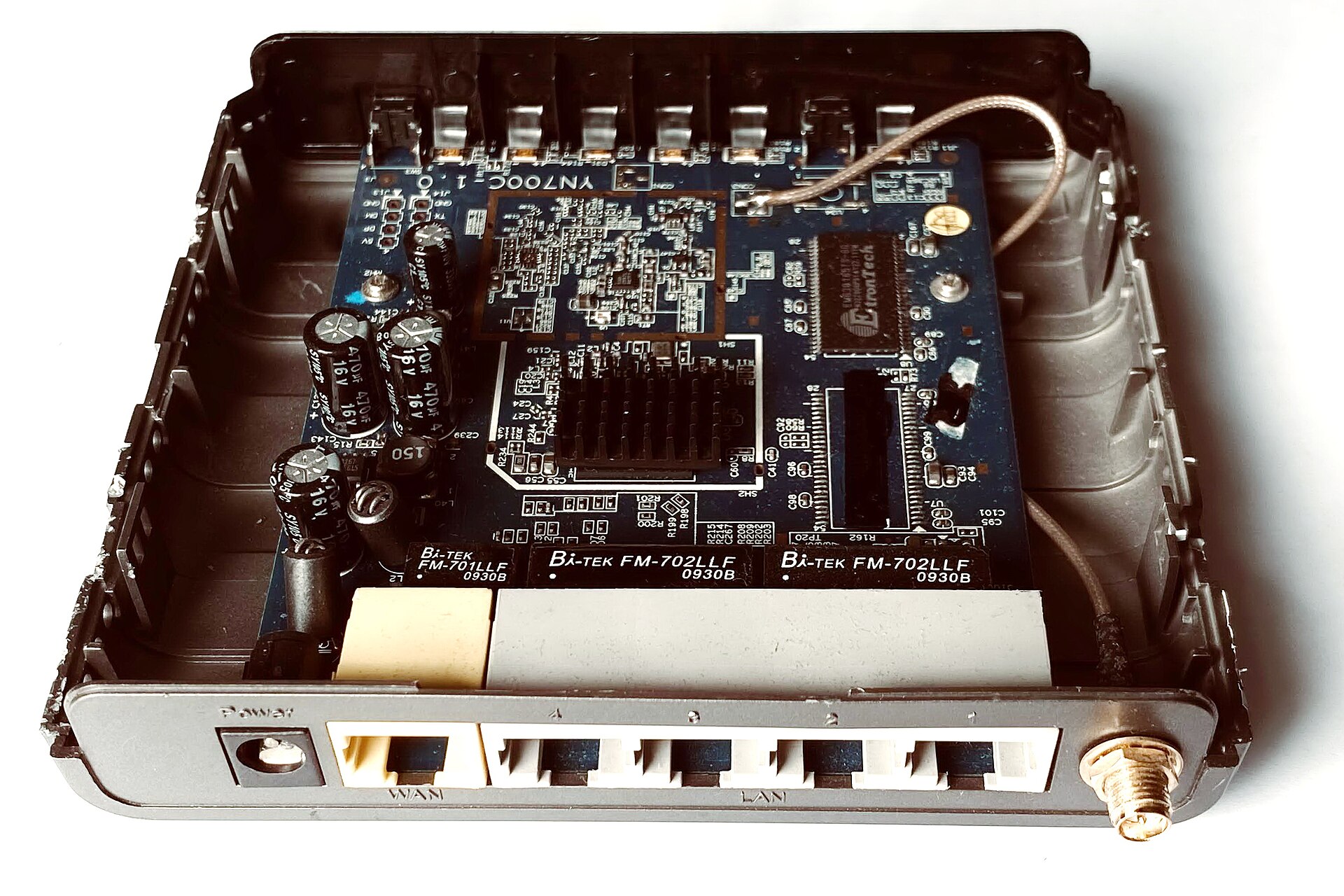
Figure 29.1 — The inside of a small home Wi-Fi router. Every web request from your browser passes through a device like this (circuit board, chips and antenna connections are visible) on its way to your internet provider. Photo: Mk2010, CC BY-SA 4.0, via Wikimedia Commons.

4.1 URLs, HTTP and HTTPS
The URL. A URL (Uniform Resource Locator) is the full address of something on the web. It has parts:
   https://www.example.com:443/shop/shoes?size=42&color=red#reviews
   └─┬─┘   └───────┬─────┘ └┬┘ └───┬────┘ └────────┬──────┘ └──┬──┘
  scheme        host     port   path          query         fragment
| Part | Meaning |
|---|---|
| Scheme | Which protocol: https, http, file, ... |
| Host | Which computer, by name (DNS turns it into an IP address). |
| Port | Which "door" on that computer. Default is 443 for HTTPS and 80 for HTTP, so it is usually hidden. |
| Path | Which resource on that server. |
| Query | Extra inputs for the server, after ?. |
| Fragment | A spot inside the page, after #. It is never sent to the server; the browser uses it locally. |
HTTP (HyperText Transfer Protocol) is the language of requests and answers. The browser sends a request; the server sends back a response.
 REQUEST                                      RESPONSE
 ──────────────────────────────────           ──────────────────────────────
 GET /shop/shoes HTTP/1.1                     HTTP/1.1 200 OK
 Host: www.example.com                        Content-Type: text/html
 Accept: text/html                            Cache-Control: max-age=3600
 Cookie: session=abc123                       Set-Cookie: theme=dark

 (blank line, then maybe a body)              <html> ... the page ... </html>
Methods say what you want to do:
| Method | Plain meaning |
|---|---|
| GET | "Give me this." Used to load pages and images. Should not change anything on the server. |
| POST | "Here is data, please process it." Used for forms and logins. |
| Others | PUT, DELETE, HEAD, OPTIONS exist (OPTIONS appears in Section 6 for CORS). |
Status codes say how it went:
| Code | Name | Meaning |
|---|---|---|
| 200 | OK | Success; the body is the thing you asked for. |
| 301 | Moved Permanently | It lives at a new address (given in the Location header). The browser follows it and may remember. |
| 304 | Not Modified | "Your cached copy is still good." |
| 404 | Not Found | The server has nothing at that path. |
| 500 | Internal Server Error | The server itself broke. |
The first digit is a family: 2xx success, 3xx redirect, 4xx your request has a problem, 5xx the server has a problem.
Headers are labelled lines of extra information. A few you will see in DevTools:
| Header | Direction | Meaning |
|---|---|---|
Host | request | Which site you want (many sites share one server). |
Cookie | request | Small saved data sent back to the site (Section 5). |
Set-Cookie | response | The server asks the browser to save a cookie. |
Content-Type | both | What the body is: text/html, image/png, application/json... |
Cache-Control | response | How long and where the answer may be saved (4.4). |
User-Agent | request | A text label saying which browser you use. |
HTTP vs HTTPS. Plain HTTP sends everything as readable text. Anyone on the path (a shared Wi-Fi owner, a network device) could read or change it. HTTPS is HTTP inside an encrypted TLS tunnel (4.2). It gives three things:
| Promise | Meaning |
|---|---|
| Confidentiality | Outsiders cannot read the messages. |
| Integrity | Outsiders cannot change messages without being noticed. |
| Authentication | You are really talking to the real example.com (the server proves it with a certificate). |
Browsers show a padlock or "connection is secure" icon for HTTPS (the look varies by browser version; some newer versions show a neutral icon instead). Know what it means: the connection is encrypted and the server's certificate matches the name. It does not mean the site is honest or safe. A scam site can have a padlock too. Many browsers also try HTTPS first, and a header called HSTS (HTTP Strict Transport Security) lets a site say "only ever use HTTPS with me."
4.2 The TLS Handshake
What it is: TLS (Transport Layer Security; the successor of SSL) is the system that builds the encrypted tunnel. Before sending anything private, the browser and server do a short handshake to agree on keys. The goal: end with a secret key that only the two of them know, even though they talked in public.
Analogy: Two people shout in a crowded room, yet end up with a secret password nobody else knows. This is possible because of clever maths called key exchange (modern TLS uses Diffie–Hellman style methods; we do not need the maths here).
A simplified handshake (TLS 1.3, the current version, shown in 1 round trip; older TLS 1.2 needs more; details hedged):
 BROWSER                                          SERVER
    │                                                │
    │ 1. "Hello. I speak TLS 1.3. Here are my        │
    │     supported ciphers + my key-exchange part" ─►
    │                                                │
    │ ◄─ 2. "Hello. We'll use this cipher. Here is   │
    │        my key-exchange part, my CERTIFICATE,   │
    │        and proof I own it"                     │
    │                                                │
    │ 3. Check the certificate (see below).          │
    │    Both sides now compute the SAME secret key. │
    │                                                │
    │ ═══ encrypted HTTP request goes here ════════► │
    │ ◄═══ encrypted HTTP response ═════════════════ │
Certificates. A certificate is a digital ID card for a website. It says "this public key belongs to www.example.com" and is signed by a Certificate Authority (CA), an organisation your device already trusts. Windows and browsers carry lists of trusted CAs (Chrome may use the Windows list or its own; this changes by version). The browser checks:
| Check | Fails if... |
|---|---|
| Name matches the host you typed | The certificate is for another site. |
| Dates are valid | It has expired (or your PC's clock is wrong, Chapter 4 — clocks and CMOS). |
| Signature chain leads to a trusted CA | It is self-signed or from an unknown issuer. |
| Not revoked | The CA has cancelled it (checks vary). |
If a check fails you see a full-page warning ("Your connection is not private"). Do not click through for sites with passwords or money.
After the handshake, the actual data is encrypted with a fast symmetric key (the same key locks and unlocks). Slow public-key maths is used only to set it up. TLS also lets the browser resume a session later, skipping some steps, so repeat visits are faster.
You can see the certificate in DevTools (the Security panel, or by clicking the padlock; names differ by version).
4.3 TCP vs QUIC (HTTP/1.1, HTTP/2 and HTTP/3)
TCP (Chapter 27) is the classic reliable pipe: it sets up a connection with a three-way handshake (SYN, SYN-ACK, ACK = one round trip), numbers every byte and resends anything lost. Then TLS adds its own handshake on top. So HTTPS over TCP needs roughly two round trips (TCP, then TLS 1.3) before the first request can go.
HTTP/1.1 (very common for years): one request at a time per connection. A page needing 60 files would wait or open several connections (browsers open about 6 per site). A slow reply at the front blocks the ones behind it (head-of-line blocking at the HTTP level).
HTTP/2 fixes this with multiplexing: many requests and responses share one TCP connection at the same time, split into small labelled streams. It also compresses headers. Browsers use HTTP/2 only over TLS.
 HTTP/1.1                           HTTP/2 (one connection)
 conn 1: [req1──][req2──]           ┌─ stream 1 ──────────────┐
 conn 2: [req3──][req4──]           ├─ stream 2 ─────┐        │ all at once,
 conn 3: [req5──]...                ├─ stream 3 ──┐  │        │ shared pipe
 (queues, several connections)      └─ stream 4 ──┴──┴────────┘
The remaining problem: TCP delivers bytes in strict order. If one packet is lost, all HTTP/2 streams on that connection wait until it is resent (head-of-line blocking at the TCP level).
HTTP/3 solves this by changing the transport. It runs on QUIC, which is built on UDP (Chapter 27: UDP has no connection and no guarantees by itself). QUIC adds back what is needed on its own, in the browser's software, not in the Windows TCP code:
| QUIC feature | Benefit |
|---|---|
| Streams are independent | A lost packet delays only its own stream. |
| TLS 1.3 is built in | Connection and encryption setup together in about 1 round trip (and fewer on a repeat visit). |
| Connection ID instead of IP-and-port | A phone moving from Wi-Fi to mobile data can keep the connection (connection migration). |
| Works in user space | Can improve faster than waiting for operating systems to update. |
 Time to first request (rough, round trips)
 HTTP/1.1 or 2 over TCP + TLS 1.3 :  TCP ─► TLS ─► request       about 2 RTT
 HTTP/3 over QUIC                 :  QUIC+TLS ─► request          about 1 RTT
 (RTT = round-trip time. Repeat visits can be faster still.)
How does a browser know a site supports HTTP/3? Usually it first connects with HTTP/2 over TCP and the server says (in an Alt-Svc header) "I also speak HTTP/3 on UDP port 443." The browser remembers and tries QUIC next time. Some networks block UDP, so browsers can fall back to TCP. In DevTools, the Protocol column in the Network tab shows h2 for HTTP/2 and h3 for HTTP/3 (http/1.1 for the old one).
| Version | Transport | Key idea |
|---|---|---|
| HTTP/1.1 | TCP | One request at a time per connection |
| HTTP/2 | TCP | Many streams on one connection |
| HTTP/3 | QUIC over UDP | Independent streams, faster setup |
4.4 Caching and Keep-Alive
Keep-alive. Opening a connection costs time (TCP + TLS). So browsers reuse it for the next requests instead of closing it. In HTTP/1.1 this is called keep-alive and is the default; HTTP/2 and HTTP/3 reuse one connection by design. Idle connections are closed after a while.
Caching. The fastest request is the one never sent. The browser saves copies of responses (images, CSS, scripts) in its HTTP cache on disk (Section 5.2), and the server tells it how long a copy is good:
| Header | Meaning |
|---|---|
Cache-Control: max-age=3600 | "Reuse this for one hour without asking me." |
Cache-Control: no-store | "Do not save this at all" (private pages). |
Cache-Control: no-cache | "You may save it, but check with me before reuse." |
ETag / Last-Modified | A "version label". The browser later asks "still the same?" and the server may answer 304 Not Modified with no body. |
 Need image.png
      │
      ├─ in cache and fresh? ──► use it. No network at all.
      ├─ in cache but old?   ──► ask server "still the same?" ─► 304 ─► use it.
      └─ not in cache        ──► download in full (200) ─► save a copy.
A normal reload may use the cache; a "hard reload" (Ctrl+Shift+R) skips it. Both are harmless.
Summary
| Term | Plain meaning |
|---|---|
| URL | scheme + host + port + path + query + fragment |
| HTTP | Request/response language of the web |
| GET / POST | Fetch something / send data |
| 200 / 301 / 404 / 500 | OK / moved / not found / server error |
| Headers | Labelled extra info (Cookie, Cache-Control, Content-Type) |
| HTTPS | HTTP inside TLS: private, untampered, authenticated server |
| TLS handshake | Agree on keys; server shows a certificate |
| Certificate / CA | Signed ID card for a site / trusted signer |
| HTTP/2 | Many streams on one TCP connection |
| HTTP/3, QUIC | Streams over UDP, faster setup, no TCP blocking |
| Keep-alive | Reuse a connection |
| Cache-Control | How long a saved copy may be reused |