The Big Picture: The First Program
When you press the power button, the computer's RAM is empty and the SSD is asleep. So where does the very first instruction come from? From a chip on the motherboard that remembers its contents even without power. The program stored there is called firmware. It is the bridge between hardware and the operating system.
8.1 BIOS ROM
What it is: BIOS (Basic Input/Output System) is the firmware. It lives in a ROM chip (Read-Only Memory). Its jobs:
- Check that the hardware works (the POST, Power-On Self-Test).
- Set up the chipset, RAM and devices.
- Find the operating system on a disk and start it.
Old chips were removable. Here is a real BIOS chip, in a socket. You can see its sticker:
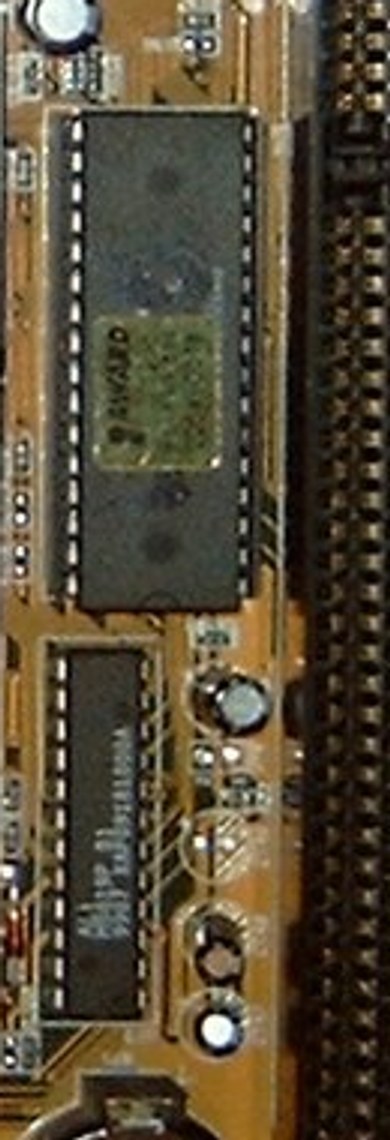
Figure 4.11 — An old BIOS chip with its maker's sticker (AWARD). It is a DIP chip (two rows of legs) you could pull out of its socket. Photo: Arnulf zu Linden, CC BY-SA 3.0, cropped from a motherboard photo, via Wikimedia Commons.

Modern chips are tiny and soldered. Today the firmware sits in a small SPI flash chip with just 8 legs. It is hard to even notice:
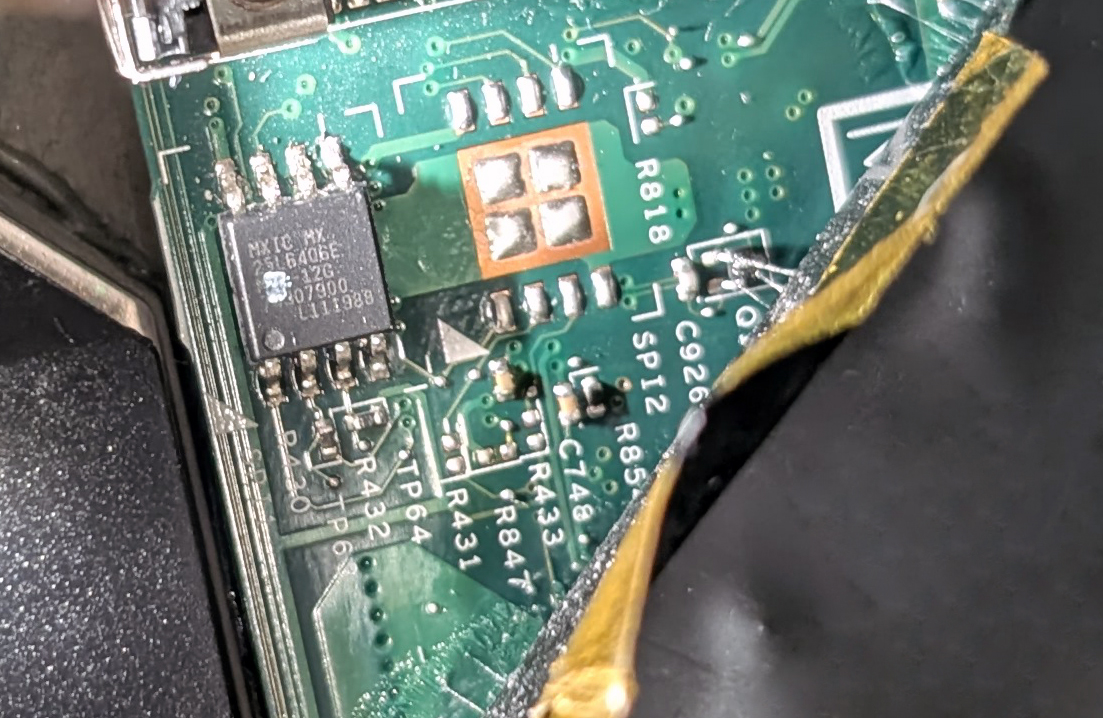
Figure 4.12 — The BIOS flash chip of a ThinkPad X220 laptop. The chip is an MX25L6406E, 8 pins, holding 64 megabits (8 MB). Photo: Siarhei Besarab, CC BY-SA 4.0, via Wikimedia Commons.

| Old BIOS chip | Modern chip |
|---|---|
| ROM / EPROM / EEPROM | SPI NOR flash |
| DIP, socketed | 8-pin, soldered |
| 128 KB – 1 MB | 8 – 32 MB |
| Plain BIOS | UEFI (the modern BIOS, Chapter 5) |
(Flash is memory you can erase and rewrite, but which keeps its data without power.)
How the CPU finds it. Remember from Section 1.4: at reset, the CPU looks at a fixed address near the end of 4 GB. The chipset connects that address to this chip. That's where the first instruction is.
Power on ─► reset released ─► CPU jumps to 0xFFFFFFF0
                                   │ (the chipset sends this to the flash chip)
                                   ▼
                          BIOS/UEFI code starts
                                   │
                                   ▼  POST → set up RAM → find the boot drive
                                Windows loads
8.2 CMOS Chip and Battery
What it is: Your BIOS settings (boot order, the clock, XMP/overclock) have to be saved somewhere too. They are saved in a tiny CMOS RAM (about 128 bytes in old PCs). It is ordinary RAM, so it forgets everything without power. A small coin battery gives it a trickle of power.
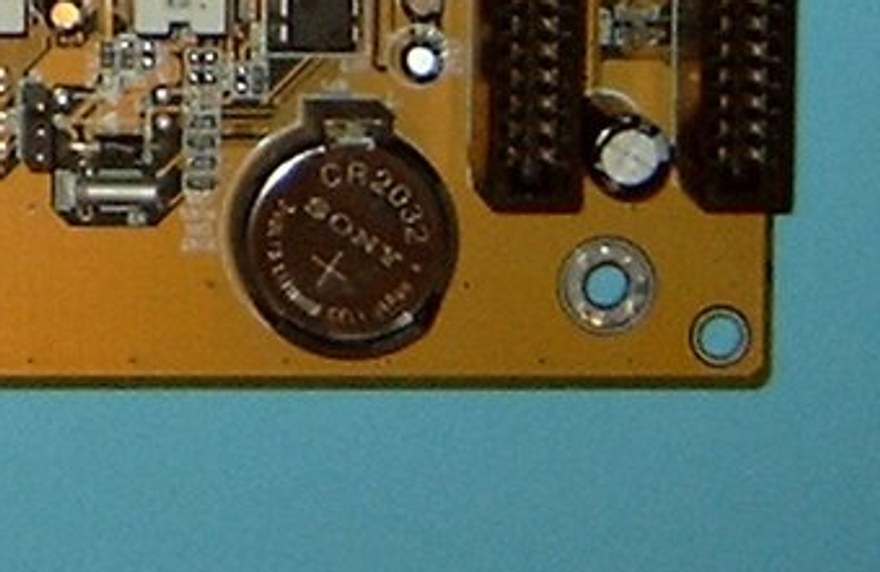
Figure 4.13 — The round silver coin is a CR2032 battery, the same type as many watches. Photo: Arnulf zu Linden, CC BY-SA 3.0, cropped from a motherboard photo, via Wikimedia Commons.
| Item | Detail |
|---|---|
| Battery | CR2032, 3 V |
| Lifetime | 3 to 10 years |
| What it keeps | Date and time (the RTC, with the 32.768 kHz crystal from Section 7), plus the BIOS settings |
| Today | The CMOS RAM and clock now live inside the PCH chip |
Symptoms of a dead battery: The clock resets to an old date (like 2000 or 2009) each time, the PC says "CMOS checksum error", and web pages complain about "security certificate dates".
Clearing CMOS: If a bad setting stops the PC from starting, you can clear CMOS: unplug the PC, remove the battery for a minute (or use the board's jumper or button) to restore the defaults.
8.3 Firmware Updates (Flashing)
What it is: Flashing means rewriting the firmware chip with a newer version. Reasons: support a new CPU, fix bugs, close security holes.
How it's done today:
| Method | How |
|---|---|
| Inside the BIOS | Menus like ASUS EZ Flash or Gigabyte Q-Flash: pick a file on a USB drive |
| Windows tool | The maker's program runs and restarts to apply the update |
| Windows Update | Some PCs get firmware via UEFI capsule updates (shown in Windows Update as "Firmware") |
| Flash button | A button on high-end boards: update with no CPU or RAM installed |
Safety rules (the one case where waiting is the right choice):
- Don't update if everything works, unless you need a fix.
- Never turn off the power during an update. Use a laptop on AC power with a charged battery.
- Use the exact file for your board model.
- Read the update notes.
Protections that exist:
- Dual BIOS — two chips; if one is broken, the other starts the PC.
- Recovery mode — the firmware can reflash itself from a USB stick.
- Digital signature check — the firmware only accepts updates signed by the maker, so a fake file is refused.
A failed flash on a board without these protections can leave it "bricked" (it won't start at all).
Summary
| Term | Plain meaning |
|---|---|
| Firmware | The program stored on the motherboard |
| BIOS / UEFI | The first program that runs; sets up and starts the OS |
| POST | The power-on hardware self-check |
| SPI flash | The small 8-pin chip that holds modern firmware |
| CMOS RAM | Small memory for settings, kept alive by a battery |
| CR2032 | The coin battery |
| Flashing | Rewriting the firmware with a new version |
| Dual BIOS | Two firmware chips for safety |